PortProof
Know what's listening.
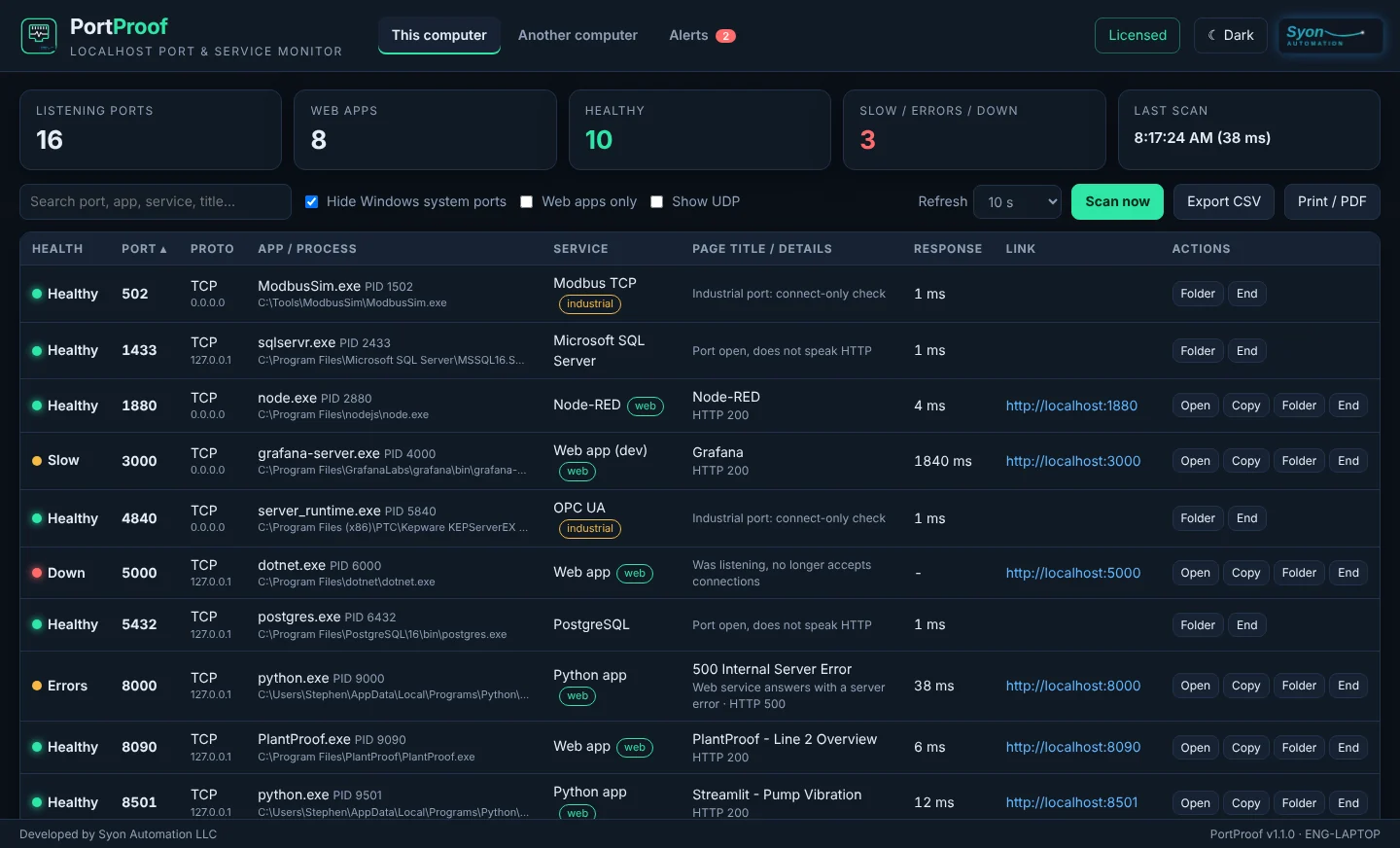
Every port the programs on your PC are listening on, the app that owns it, a real health check, and a one-click link that opens it in Google Chrome.
Every feature during the trial. No credit card.
See PortProof in 2:15
No more guessing what grabbed port 3000
Every port, every owner
PortProof reads the Windows port table and names the program behind every listening port: the app, its process ID and where the file lives.
- TCP and UDP, on every address the PC listens on
- Known services named for you: Ollama, Node-RED, SQL Server, PostgreSQL, RDP and more
- Folder shows the program in Explorer; End closes it after you confirm
A real health check
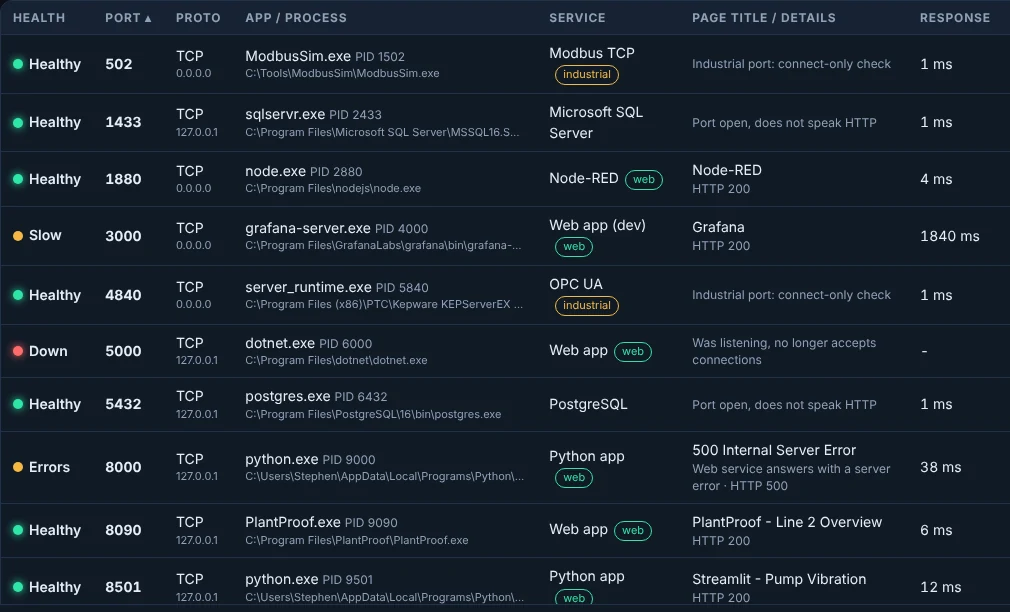
Each port is checked, not just listed. Web services get one ordinary request so you see the page title and status.
- Healthy: answers quickly, no server error
- Slow: more than 0.3 s to connect or 1.5 s for the page
- Errors: the web page answers with a 5xx server error
- Down: was listening, stopped answering
Safe on the plant floor
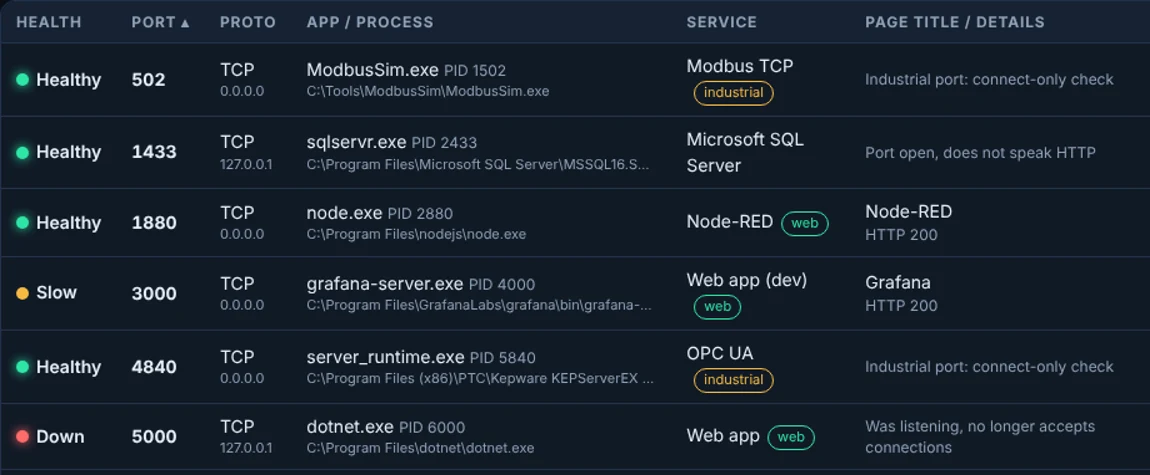
Industrial ports get a connect-only check. PortProof never sends data into a live PLC connection.
- Modbus TCP 502, EtherNet/IP 44818 and 2222, OPC UA 4840, Siemens S7 102, DNP3, BACnet and more
- Marked as industrial in the list
- Nothing written, nothing polled
Another computer, too
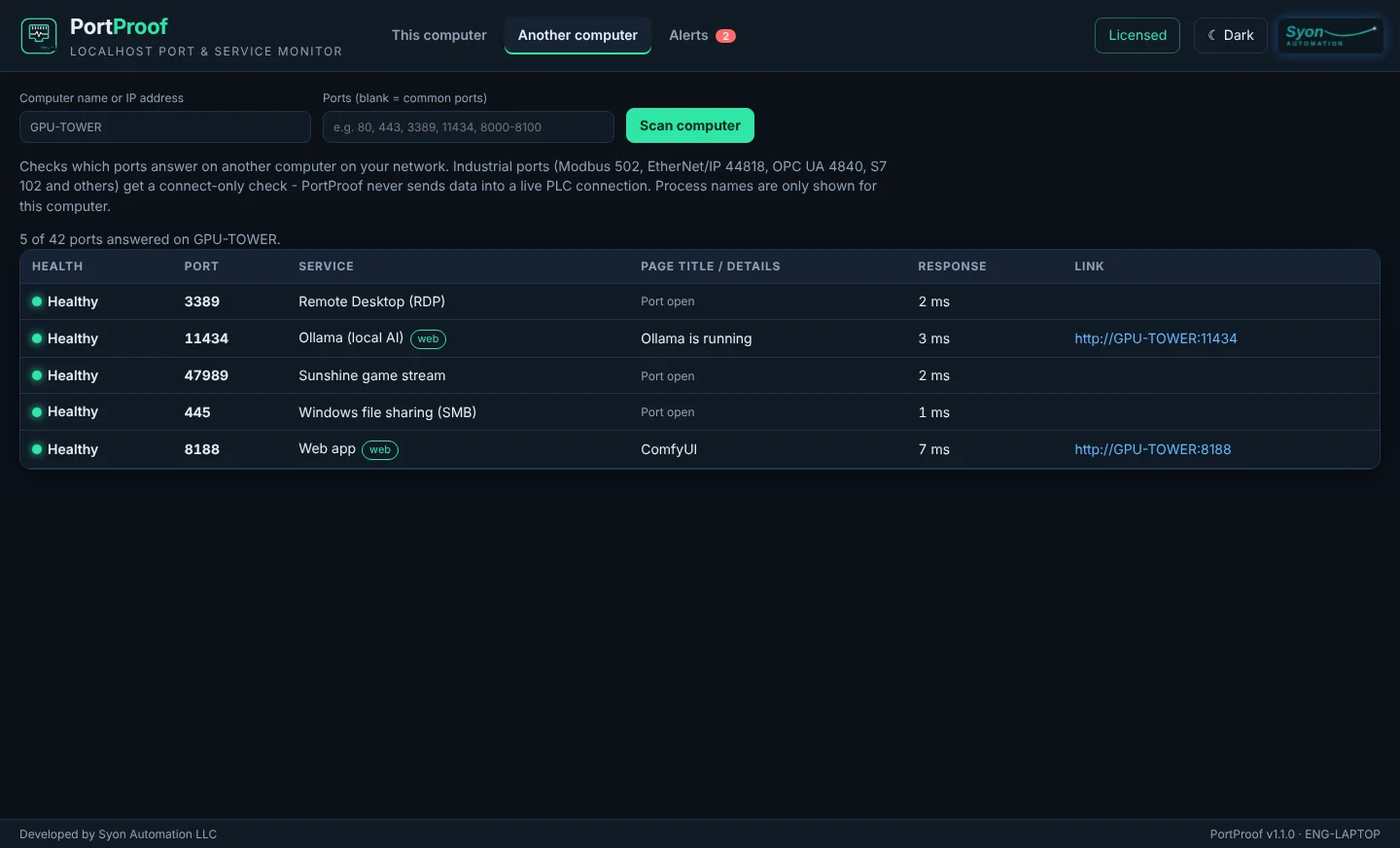
Type a computer name or IP address, such as a headless GPU tower, and see which common ports answer, with links to the web services.
- Common ports, or your own list and ranges
- Remote Desktop, file sharing, Ollama, web apps and industrial ports
- Alerts for new ports, ports that disappear, and services that go down or come back
One-time purchase. Every feature included.
Prices in US dollars, including any sales tax or VAT. Your license key appears on the thank-you page right after payment. 12 months of updates and support included.
Free trial
- Every feature for 14 days
- Live port list keeps working after
- No credit card
After the trial, the live port list, Open and Copy keep working; Another computer, Alerts, CSV export, Folder and End need a license. Update renewal after the first year: Pro $9, Team $20, Site $30 a year; e-mail sales@syonautomation.com with your license key. 14-day refund window and a 90-day limited warranty; see the refund policy. Need an invoice or a purchase order? Send an inquiry.
Register in under a minute
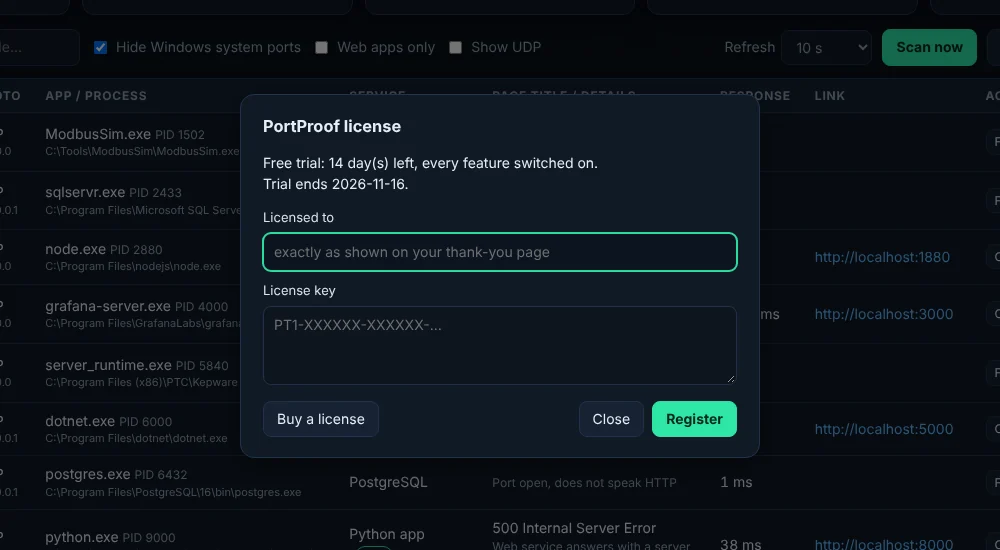
- Buy onlinePick an edition above and pay with Stripe. Type your name or company in "Licensed to".
- Copy your keyThe thank-you page shows your key (it starts with PT1-) and the exact Licensed to name.
- RegisterIn PortProof, click the license button at the top right, type the name and paste the key. It is checked on the PC, with no internet needed.
What you need
| PC | Windows 10 or 11, 64-bit |
| Program | Native, code-signed Windows program with Google Chrome as its window; dark or light mode |
| Internet | Not needed to run or to license. PortProof only checks ports on this PC, or on the computer you type in |
| Administrator | Not needed to list ports. Run as administrator only to end programs started by other users or Windows services |
| Your data | Settings and exports stay on your PC. Nothing is sent to Syon Automation |
Frequently asked
Is it safe to run on a PC that talks to PLCs?
Yes. Ports used by industrial protocols (Modbus TCP, EtherNet/IP, OPC UA, Siemens S7, DNP3, BACnet and others) only get a connection check; PortProof sends no data to them. Web services get one ordinary HTTP or HTTPS request, the same as opening the page in a browser.
What happens after the trial?
The live list of ports, with the owning app, health and links, keeps working. Scanning another computer, alerts, CSV export, Show in folder and End process need a license key.
Can it scan other computers?
Yes, one computer at a time: type its name or IP address on the Another computer tab. It checks which common ports (or the ports you list) answer. Program names are only shown for this PC. Only scan computers you are allowed to check.
Will it pass our IT review?
It is a native, code-signed Windows program with no Python, no background service and no telemetry. Its own window uses 127.0.0.1 port 47290 only. The installer includes the license agreement, privacy statement and third-party notices.
Can I print a report?
Yes. Export CSV saves the list to Documents\PortProof\Exports, and Print / PDF prints the list or saves it as a PDF with Google Chrome.