AOI Foundry
Build any Add-On Instruction, the Rockwell way.
Templates, drawn ladder, live rule checking, simulation, install files and guides, with AI when you want it. What used to take a day of building, documenting and testing one AOI now takes minutes.
Version 1.10.0 for Windows 10 and 11. 14-day free trial with every feature on, no credit card and no account. Already installed? Download the 1.10.0 update.
See AOI Foundry in 4:33
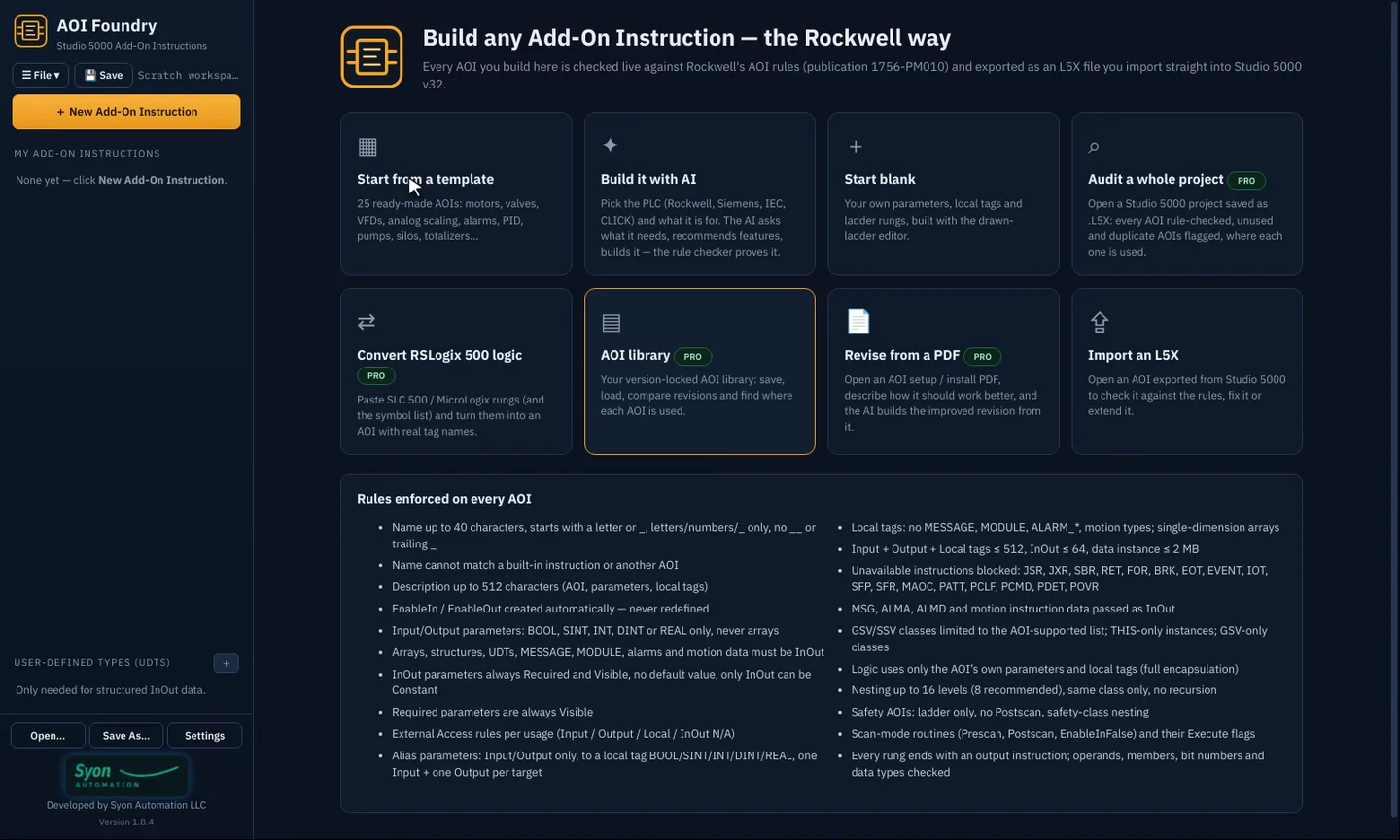
From the first rung to the install file
Start from one of 54 ready-made AOIs
Motors (DOL, reversing, two-speed, VFD), solenoid and motor-operated valves, analog inputs, outputs and 2-out-of-3 voting, interlocks with first-out, permissives, dosing, compensated flow, tank strapping tables, PID, alarms, pumps, silos and more. Every template already passes Rockwell's AOI rules and comes with its parameters, local tags, rung comments and help text.
- Pick one and edit it, or start blank
- Hand-off-auto, lead/lag, restart inhibit, operator/program modes, conveyor jam, comms heartbeat and safety templates
- Your own AOIs saved to a version-locked library (Pro)
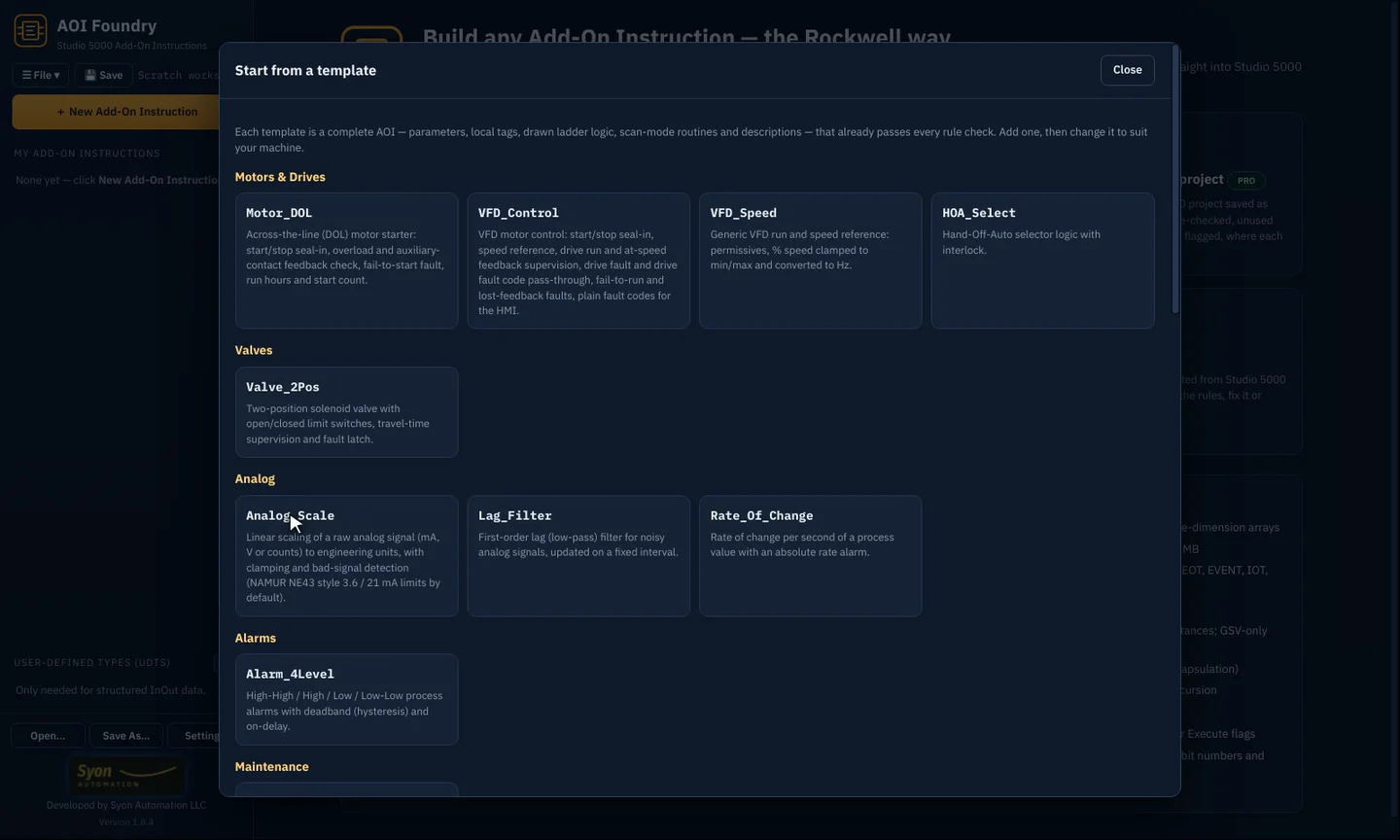
Real, drawn ladder logic
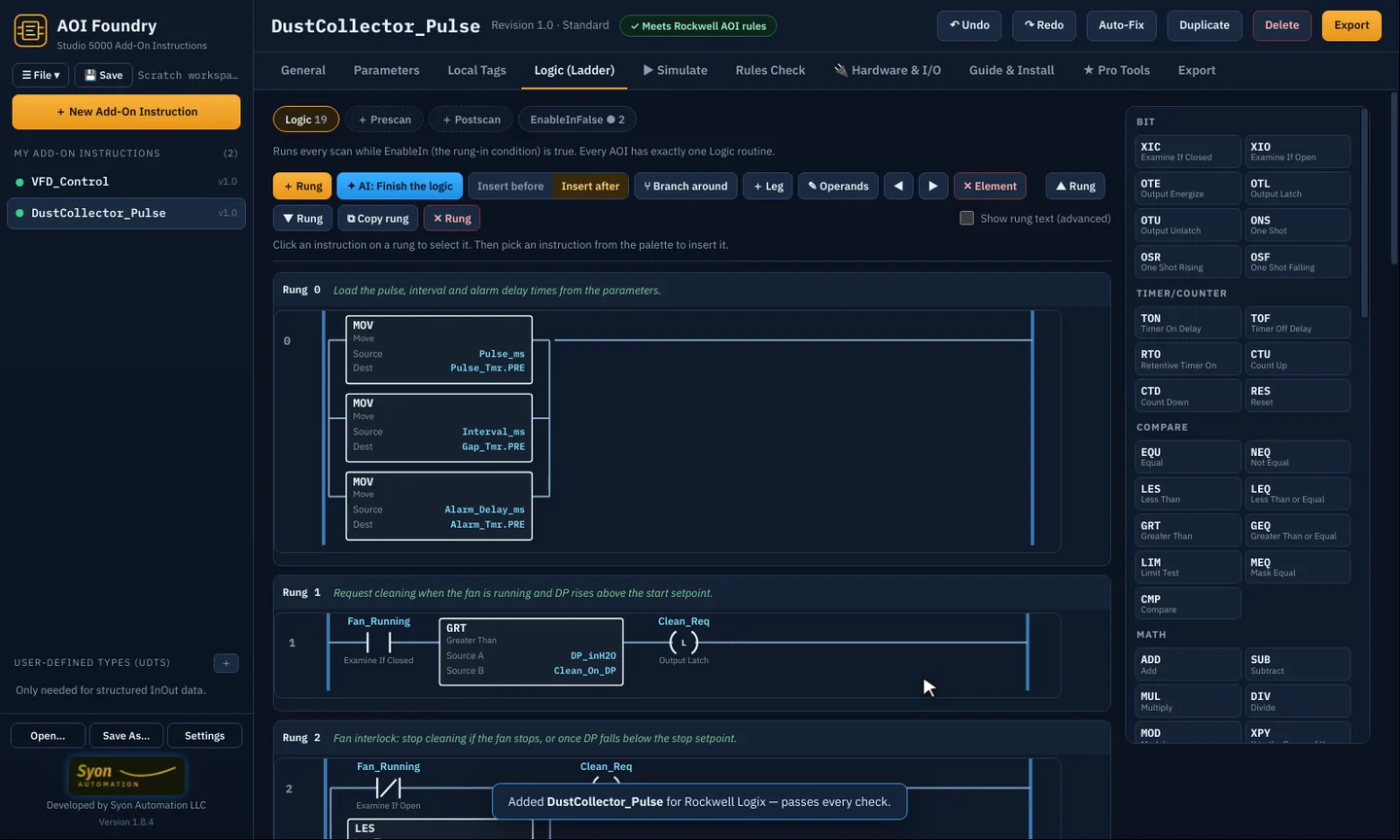
Edit rungs the way you already work: click an instruction, pick from the full palette, add branches and legs. Rung comments become the instruction help.
- XIC, timers, counters, compares, math, moves, file, PID, ALMD and more
- Prescan, Postscan and EnableInFalse routines
- Show the rung text when you want it
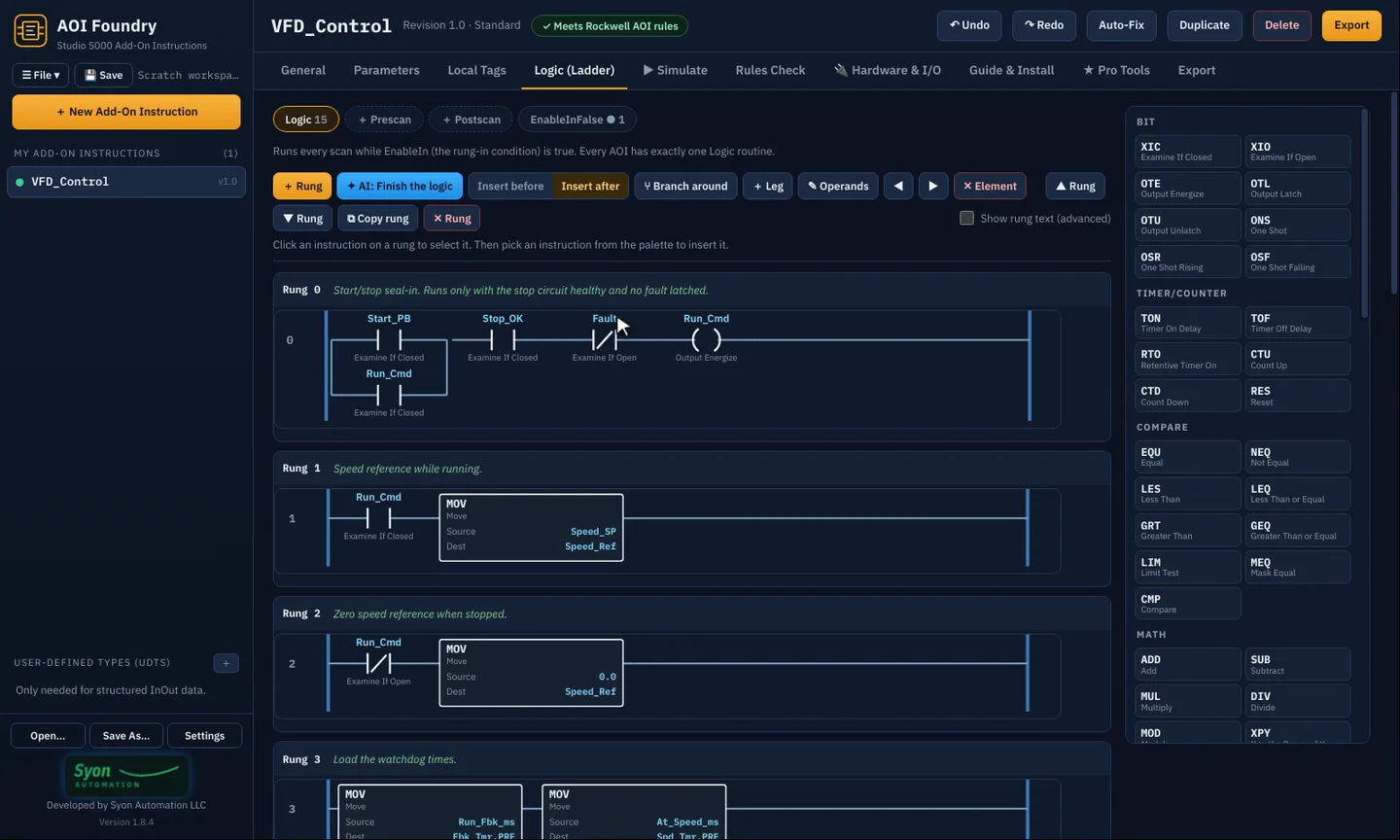
Every Rockwell AOI rule, checked live
Names, data types, external access, InOut rules, nesting, tag limits and the instructions Studio 5000 won't accept in an AOI are checked as you type, against Rockwell publication 1756-PM010. Auto-Fix corrects most problems in one click.
- A green "Meets Rockwell AOI rules" badge when it's clean
- Go-to links for every finding
- Standard and Safety (GuardLogix) class rules
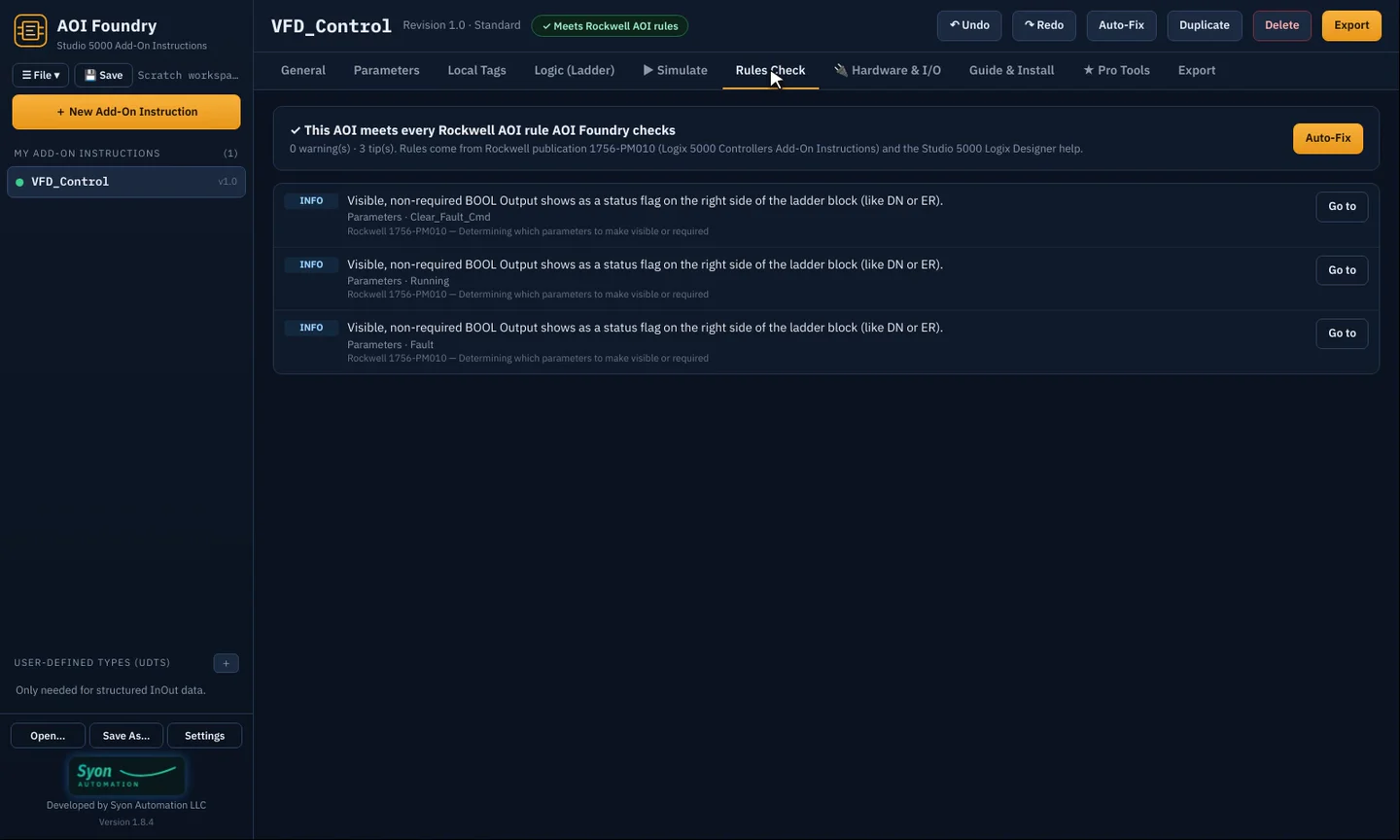
Test it before it touches a controller
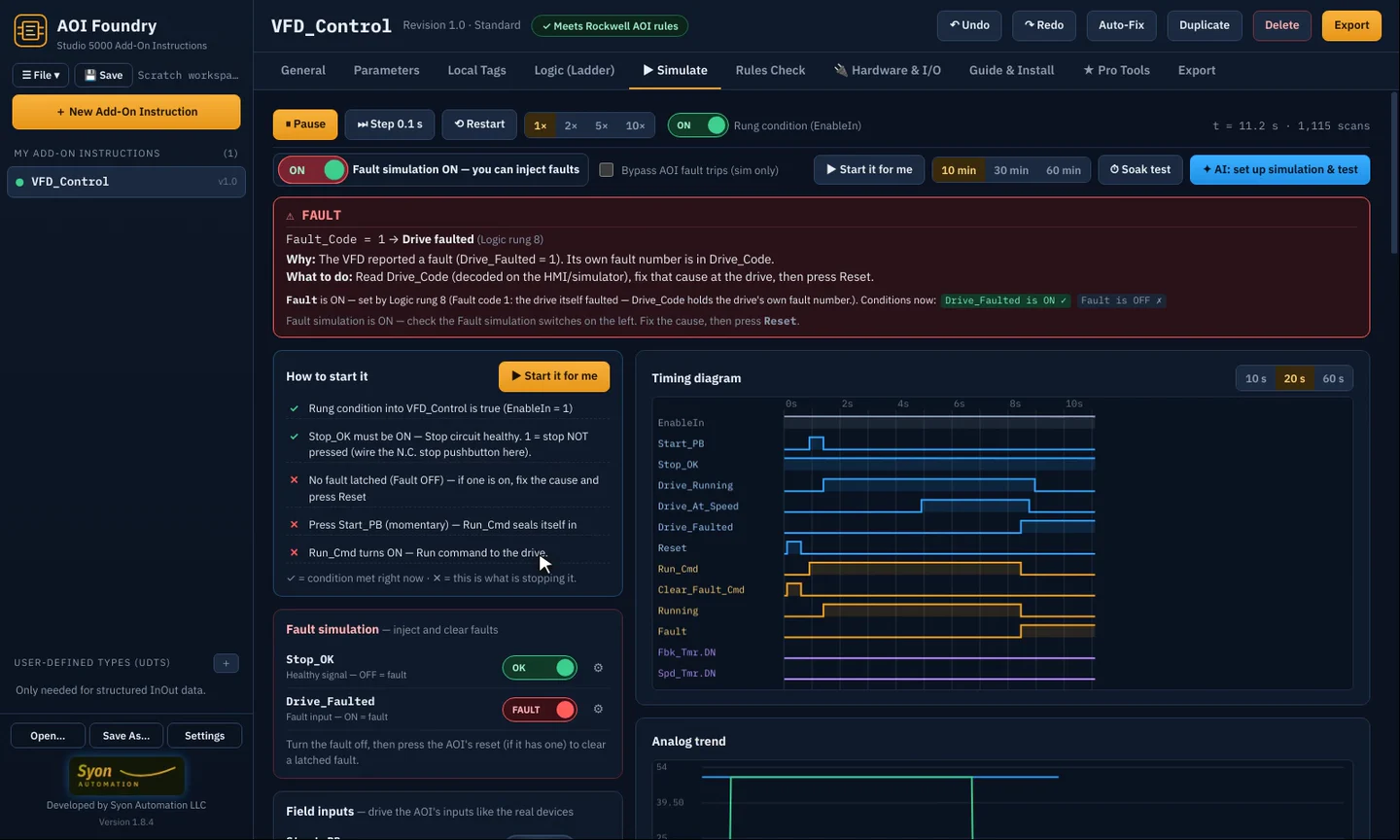
A full ladder simulator runs your AOI with live power flow, a timing diagram and trends. Field devices behave like the real ones, and fault simulation lets you trip a drive and prove the fault latches and resets.
- Start it for me, or drive every input by hand
- Fault simulation switch: OFF means a healthy plant
- 10, 30 or 60-minute soak tests
Map it to real hardware
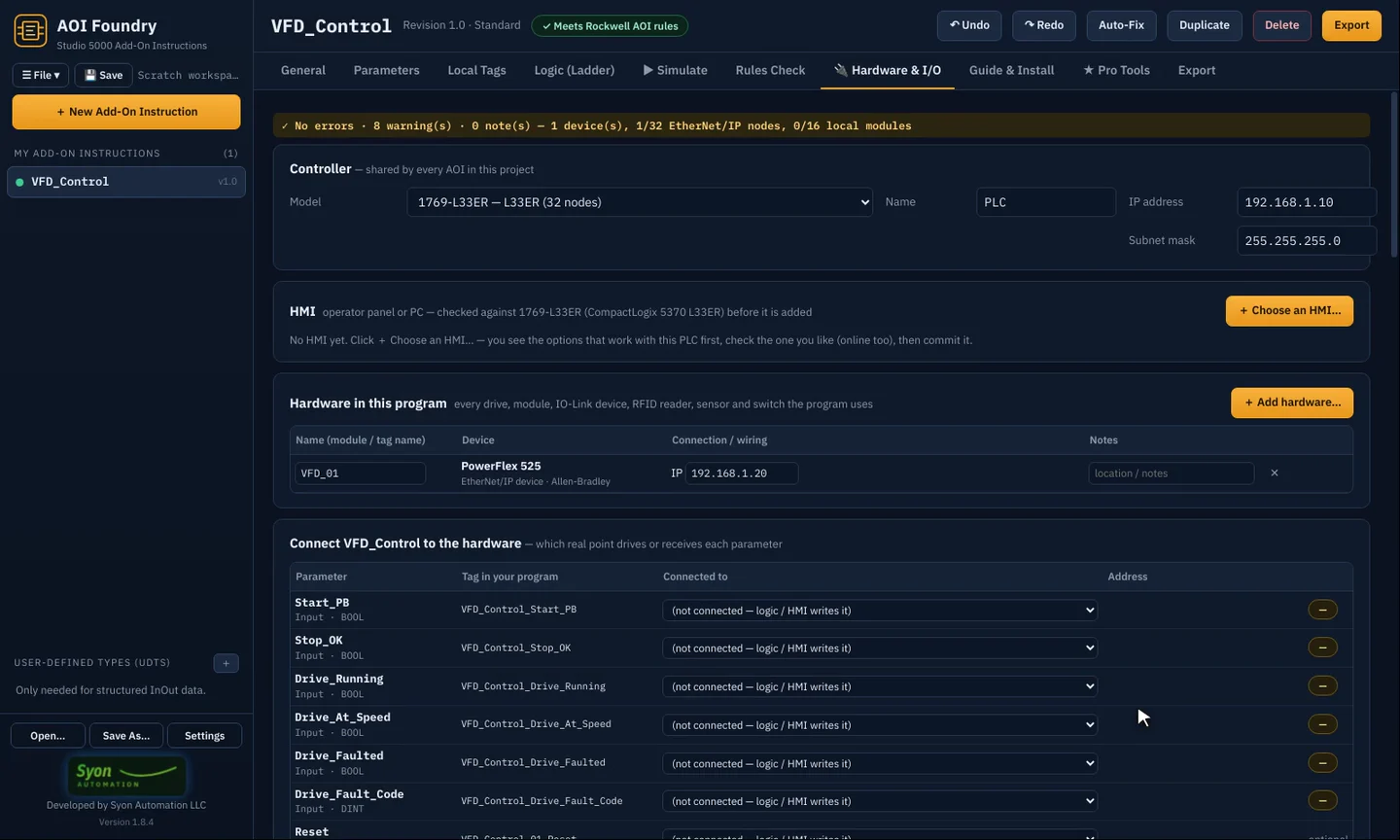
Pick the controller and add drives, I/O modules, IO-Link devices, RFID readers and sensors. AOI Foundry checks the network and builds the I/O map routine, the bill of materials and the IP address plan.
- CompactLogix and ControlLogix controllers
- PowerFlex and other drives, IO-Link masters and devices
- I/O Map routine (.L5X), BOM and IP plan (.csv)
The paperwork, written for you
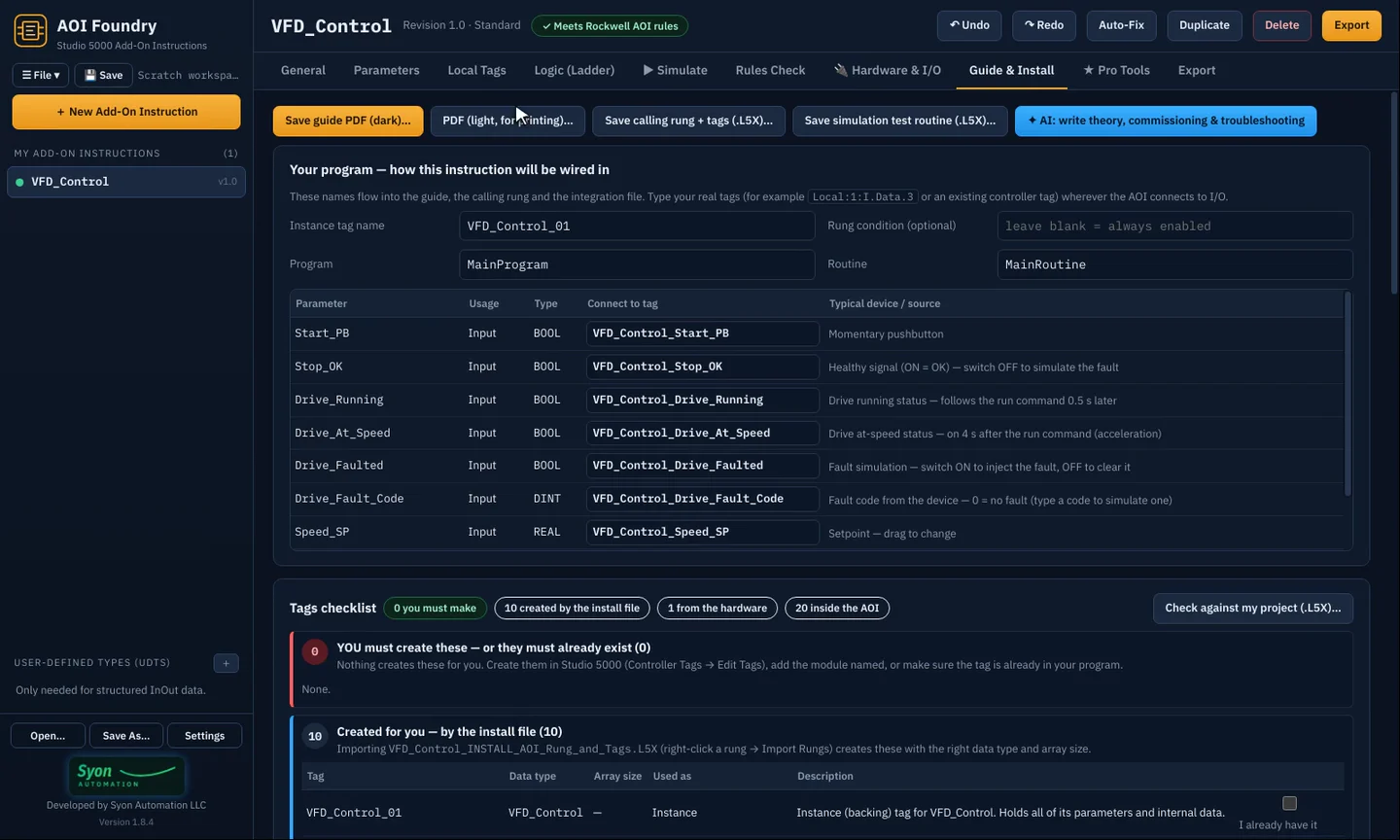
Guide & Install produces a setup and troubleshooting guide, the calling rung, and one install file that creates every tag. In Studio 5000, right-click and Import Rungs, and it's in your project.
- Tags you must create, kept separate from the tags the install file creates
- Dark PDF guide, or a light one for printing
- Fault codes and start-sequence checklists in plain language
Describe it, and the AI builds it
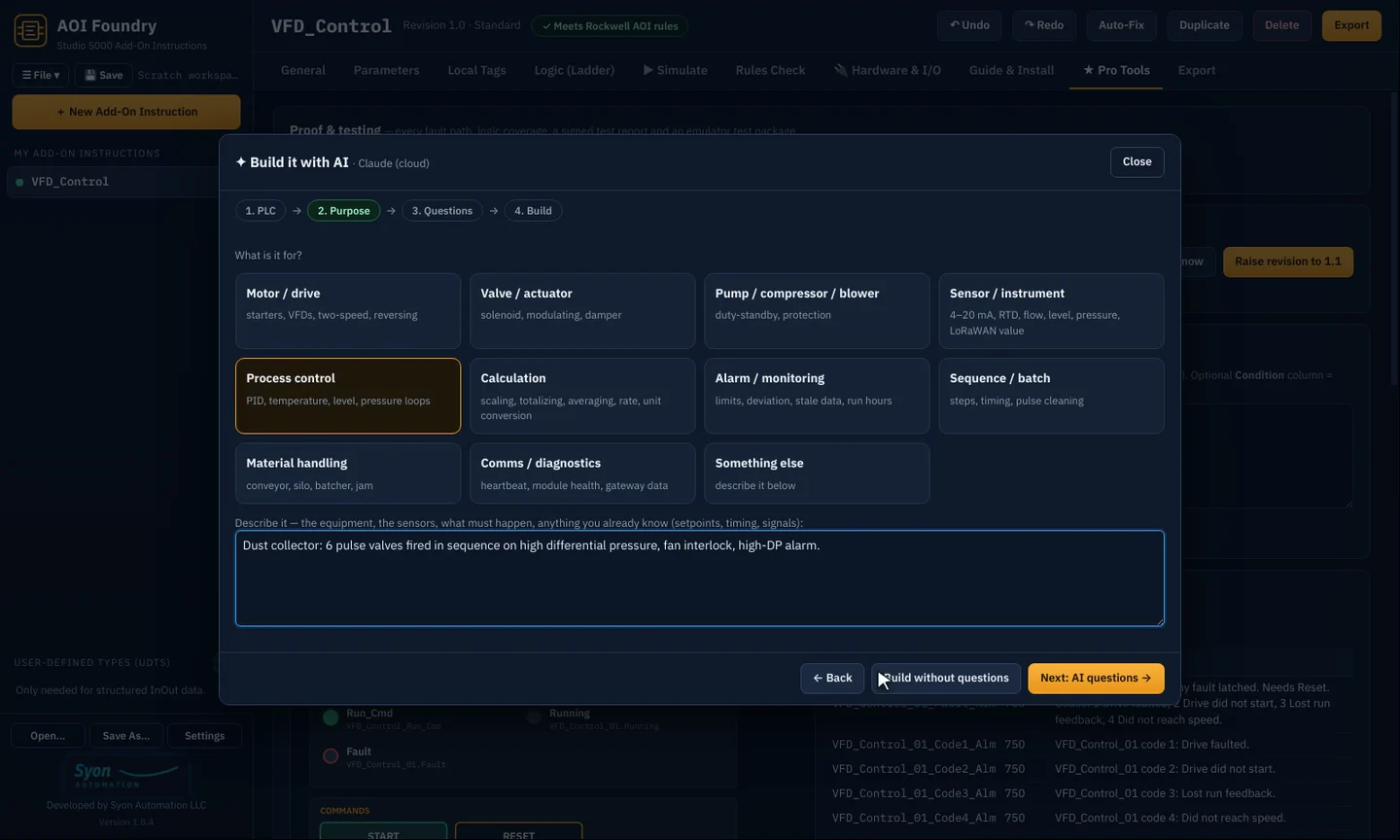
Pick the platform, say what it should do in plain English, and the AI designs the parameters, local tags and ladder. AOI Foundry checks every rule and sends any problem back for correction, keeping only a design that passes.
- Claude in the cloud, a private local AI (Ollama), or the built-in AI that runs on your own PC (Pro and Site, version 1.10)
- Rockwell, Siemens TIA Portal, IEC 61131-3 and CLICK PLUS targets
- Repurpose an existing AOI for a new job (Pro)
Bring old SLC 500 logic forward
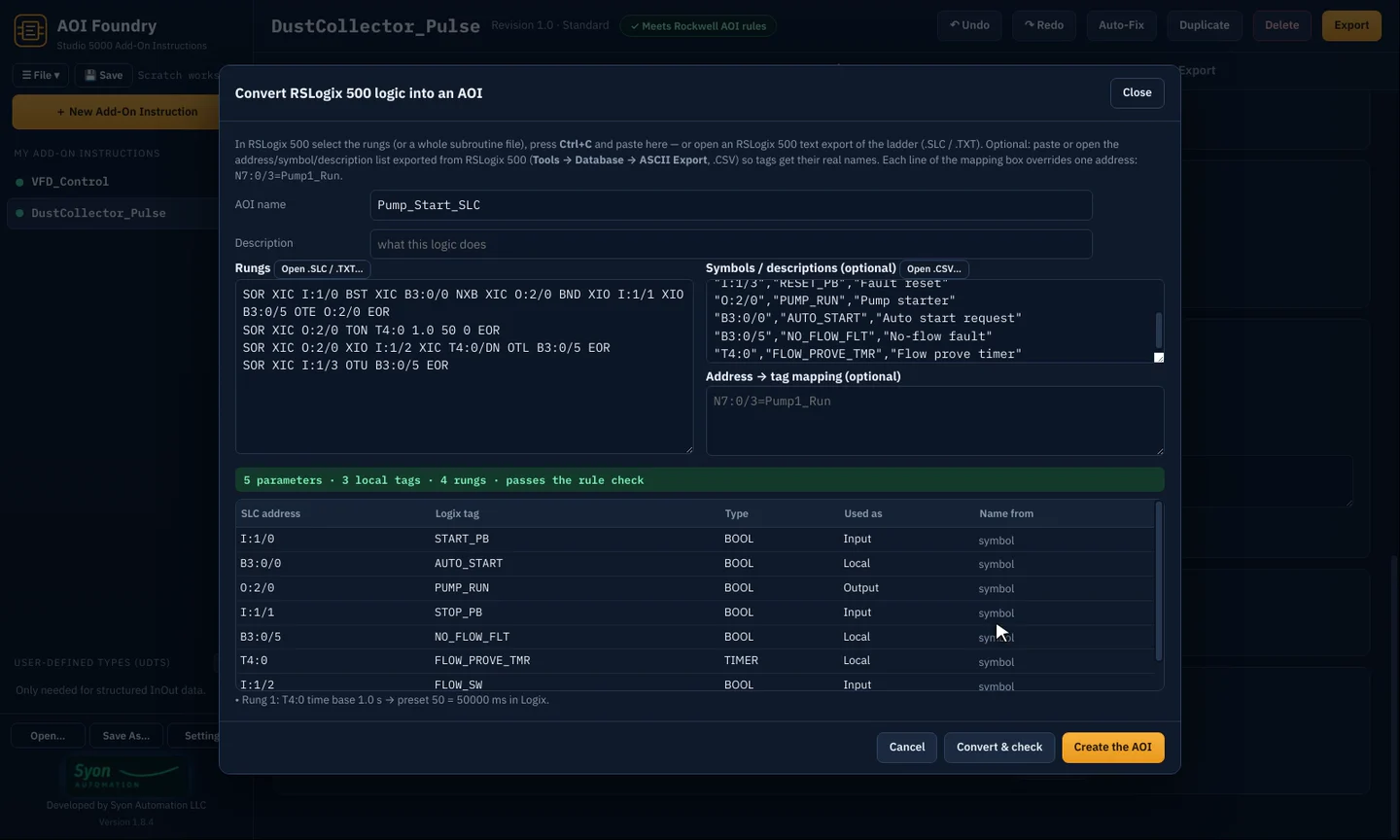
Paste RSLogix 500 rungs and the symbol list, and AOI Foundry turns them into a modern AOI with real tag names, parameters and local tags, then rule-checks it.
- N, B, I/O and timer addresses mapped to named tags
- Your own address-to-tag mapping when you need it
- Audit a whole Studio 5000 project for unused and duplicate AOIs (Pro)
Pro Tools for integrators
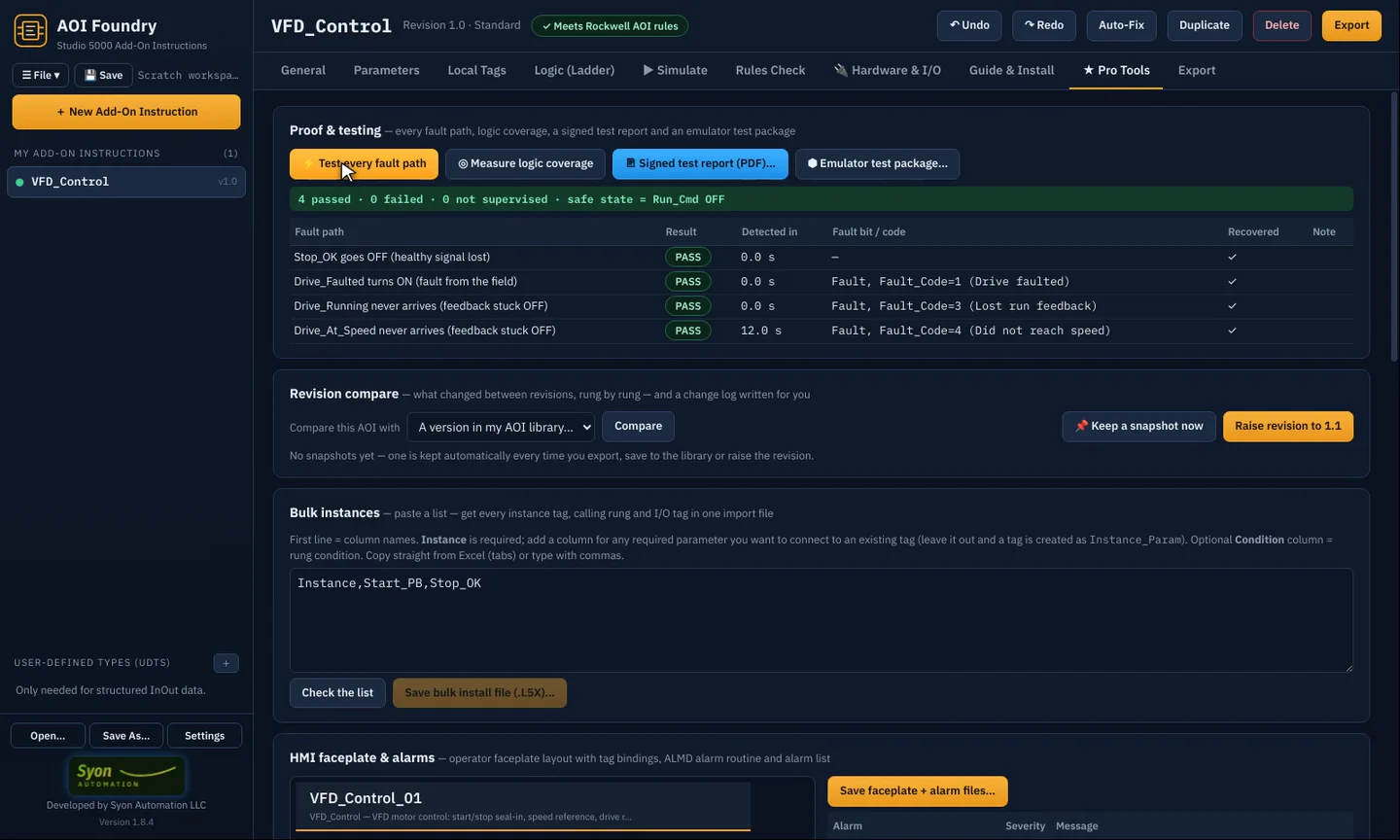
Test every fault path automatically, measure logic coverage and print a signed test report for your customer. Compare revisions rung by rung, create dozens of instances from an Excel list, and generate the HMI faceplate and alarm list.
- AI review and a commissioning helper for symptoms on the floor
- Source protection key file and safety signature steps
- Your company name and logo on the guide
What hardware the built-in AI needs
From version 1.10, Pro and Site include an AI that runs on your own PC: private, offline once the model is downloaded, no API key, no per-use cost. Its speed depends on your graphics card. Everything else in AOI Foundry runs on any Windows 10/11 PC. Before you buy, download the free trial and click Settings → Test my PC to measure yours.
Runs well
- Windows 10 or 11, 64-bit
- 16 GB memory (RAM) or more
- NVIDIA or AMD graphics card with 8 GB or more
- 10 GB free on an SSD
- About 35–135 tokens/s: a typical AOI in 20–70 seconds
Minimum
- Windows 10 or 11, 64-bit
- 8 GB memory, no graphics card needed
- Smallest (Lite) model, 1.3 GB
- About 5–15 tokens/s on the processor: a typical AOI in 3–8 minutes
- Fine for small AOIs and edits
No local AI
- Use Claude in the cloud with your own API key: fast on any PC
- Or build without AI: templates, drawn ladder, Rules Check and Simulate need no AI at all
| Hardware (7-8B model, Q4) | Tokens per second | Typical AOI design |
|---|---|---|
| NVIDIA RTX 4090 (24 GB) | 135 | 22 s |
| NVIDIA RTX 3090 (24 GB) | 95 | 32 s |
| NVIDIA RTX 4070 Super (12 GB) | 75 | 40 s |
| NVIDIA RTX 4060 Ti (16 GB) | 55 | 55 s |
| NVIDIA RTX 3060 (12 GB), measured | 42–60 | 71 s |
| No graphics card: desktop, DDR5 | 11–16 | 4.2 min |
| No graphics card: desktop, DDR4-3200 | 8–10 | 5.5 min |
| No graphics card: laptop, DDR4 | 5–8 | 8.3 min |
Published llama.cpp generation speeds (Hardware Corner and Jeff Geerling measurements for the RTX 3060; GPU and CPU-only comparison tables for the rest). A typical AOI design is about 6,000 tokens read and 2,500 written, and the rule checker may ask for one or two corrections. Your own result is measured by Test my PC.
One-time purchase. 12 months of updates included.
Prices in US dollars, tax included. Every edition starts with the same 14-day free trial. Your AF- license key appears on screen the moment you pay.
Free trial
- Every feature for 14 days
- No credit card
- Your work is kept if you buy later
Personal
- 1 PC
- Core features: templates, ladder, Rules Check, Simulate, install files and guides
- Updates renewal $29/yr
Pro
- Up to 2 PCs
- Every feature, including all of the Pro Tools
- Built-in AI and EDS Library (version 1.10). Hardware for the AI
- Updates renewal $99/yr
Site
- Up to 25 PCs at one site
- Every feature
- Built-in AI and EDS Library (version 1.10). Hardware for the AI
- Updates renewal $349/yr
14-day money-back guarantee and a 90-day limited warranty on every edition. See the refund and warranty policy.
A closer look
Checked online, safe offline
- Try it free14 days with every feature, counted from the first launch on each PC.
- Buy and activatePaste your AF- key in the License window. AOI Foundry checks it online and keeps working up to 7 days without internet.
- Nothing is ever lostIf the trial ends before you buy, AOI Foundry opens in view-only mode. Every AOI and project you made is kept, and a key unlocks it all again.
What you need
| PC | Windows 10 or 11, 64-bit |
| Studio 5000 | Logix Designer v32 or later to import the .L5X files (not needed to build, check or simulate) |
| Internet | For the license check, at least once every 7 days |
| AI (optional) | A Claude API key, or a local AI model through Ollama on your own PC |
Frequently asked
Do I need Studio 5000 on the same PC?
No. AOI Foundry builds, checks, simulates and documents AOIs on its own. You only need Studio 5000 (v32 or later) where you import the .L5X files.
What happens after the 14-day trial?
AOI Foundry switches to view-only: you can open and read everything you made, but not change, export or simulate it until you enter a key. Nothing is deleted.
What's the difference between Personal, Pro and Site?
Personal covers 1 PC with the core features. Pro adds every Pro Tool and covers up to 2 PCs for one engineer. Site covers up to 25 PCs at one site with every feature.
Is it a subscription?
No. It's a one-time purchase. The first 12 months of updates are included; after that, an optional yearly renewal keeps you on the newest version, and the version you have keeps working.
Does the AI see my code?
Only if you use it. With Claude, your description and the AOI are sent to Anthropic to design or review it. Choose local AI and everything stays on your own PC.