RungWise PLC Academy
PLC skills, rung by rung.
Studio 5000-style ladder logic training from the first contact to live PID, with 139 live simulations, 44 auto-graded labs and a quiz at the end of every module. For new technicians learning on site, and for experienced programmers who want a refresher.
Every module is open during the trial. For a team, try the Site Edition with the administrator dashboard. Your progress stays on your own PC.
See RungWise in 2:28
Learn it by doing it
Live ladder, just like the controller
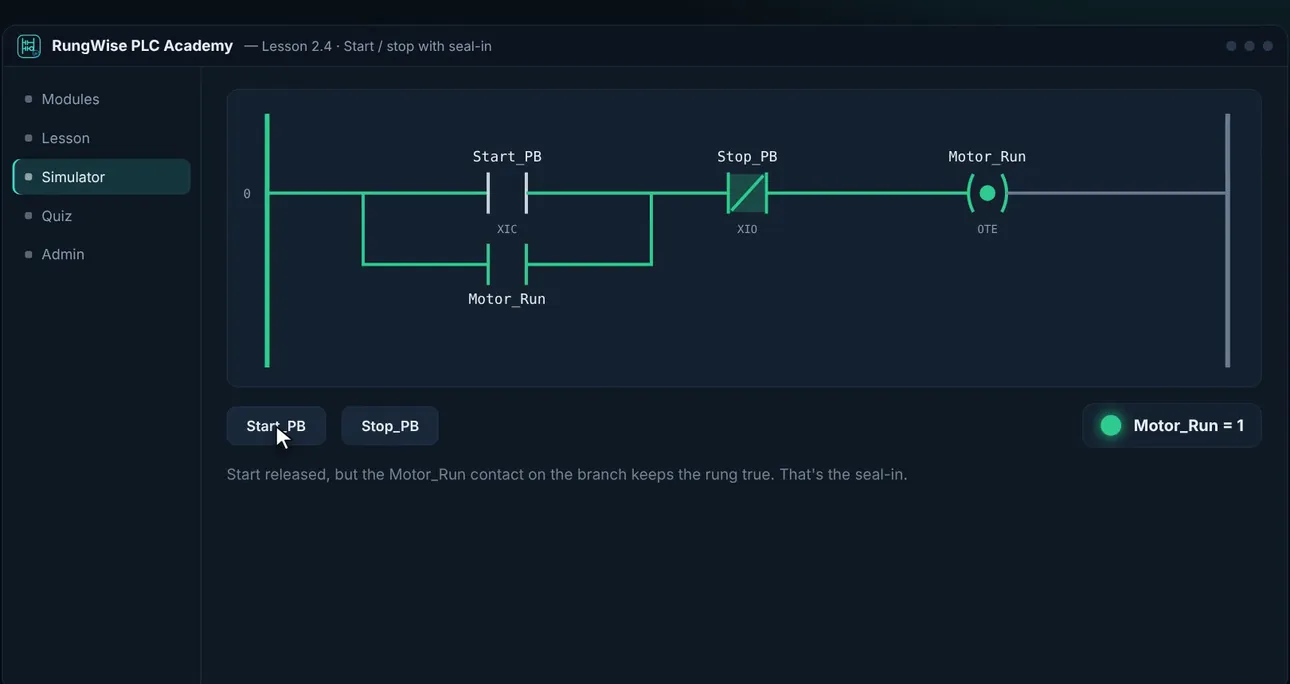
Every lesson has a working rung. Press the pushbuttons, toggle bits and step through the scan one rung at a time, and watch power flow the way it does on a real controller.
- 139 live ladder simulations
- XIC, XIO, branches, seal-ins, timers and counters
- Step through the scan to see the order of execution
All the way to PID, JSR and fault routines
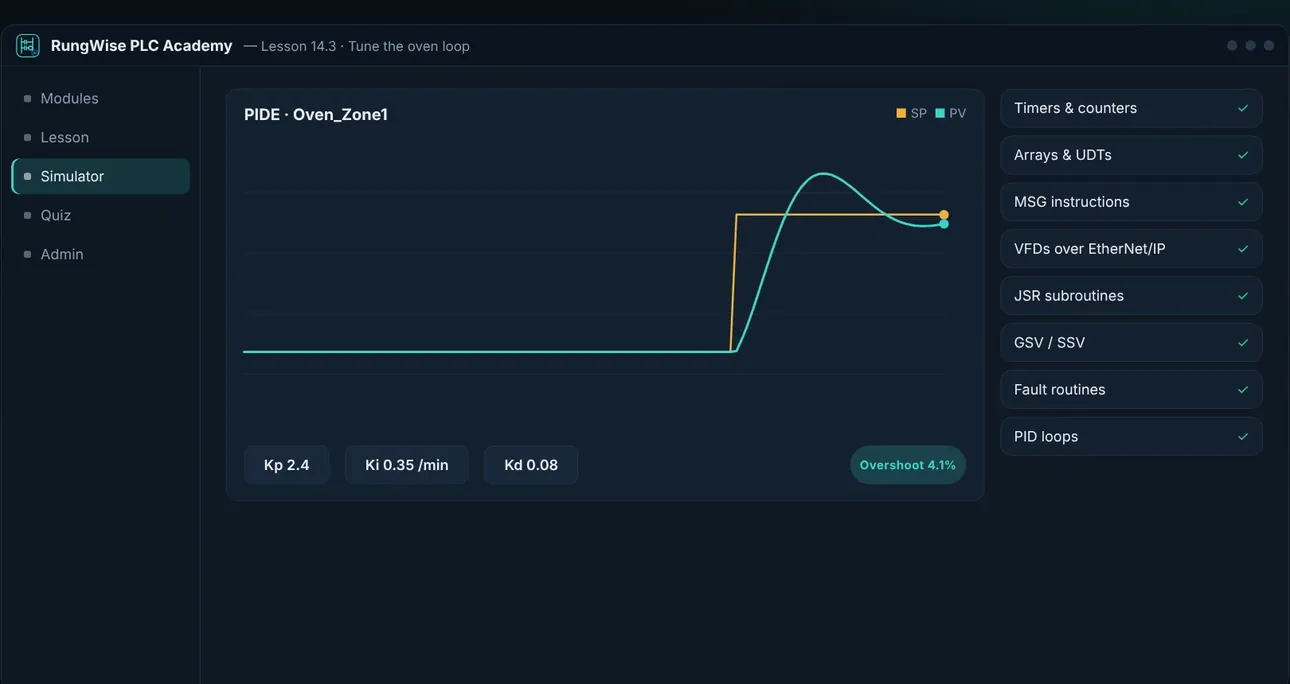
The course goes past the basics: live PID loops you can tune and watch respond, JSR subroutines, GSV and SSV, arrays and UDTs, MSG instructions, VFDs over EtherNet/IP and fault handling.
- 21 modules, entry level to advanced
- ISA/IEC 62443 industrial cybersecurity track
- 44 hands-on labs, graded against real test cases
Prove it before moving on
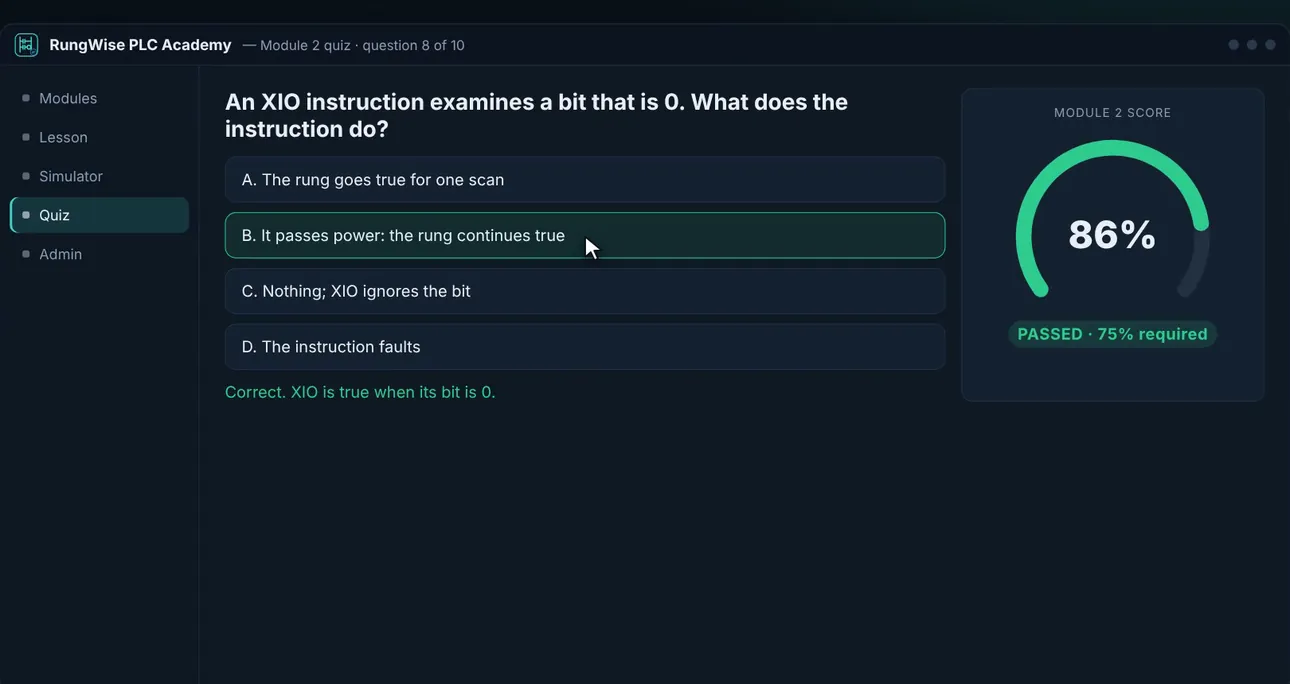
Every module ends with a quiz. Score under 75% and the module resets, so nobody skips ahead. Instant self-checks inside each lesson catch mistakes early.
- 210 quiz questions plus in-lesson self-checks
- 75% pass mark on every module
- Certificate of completion
Know exactly where you stand
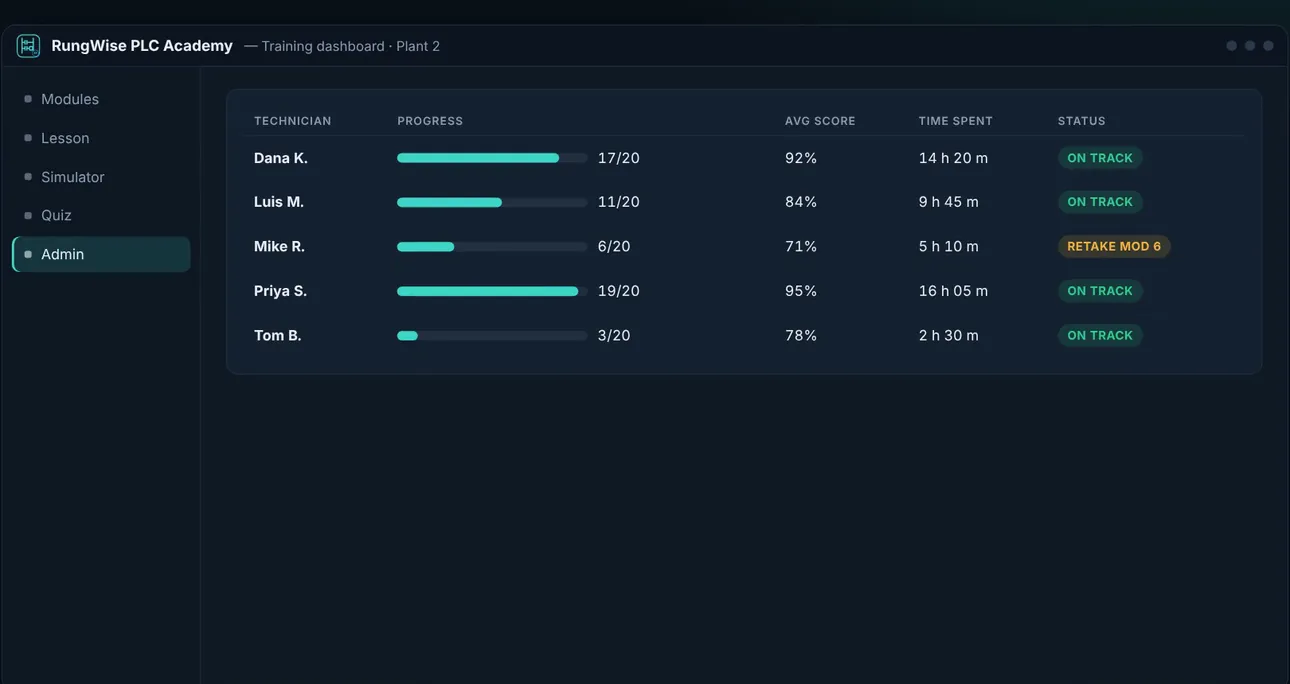
The Personal Edition shows a My progress report: the module you are on, lessons and labs done, scores, time spent and anything worth a review. Team and Site editions add an admin dashboard so supervisors can see who is ready.
- My progress report in every edition
- Admin dashboard with technician PINs (Team and Site)
- Add-on modules install without losing records
Every license is yours to keep.
Prices in US dollars, including any sales tax or VAT. One-time purchase with 12 months of content updates included. Your license key appears on the thank-you page right after payment.
Personal Edition
- All 21 modules, labs and the sandbox
- No admin to set up: install, type your name, learn
- My progress report and certificate
Team 5-Pack
- Five learners, extra seats $179
- Admin dashboard and technician PINs
- Progress, scores and time per tech
Site
- Every technician, every PC at one site
- Admin dashboard and add-on modules
- Each additional site $3,950
Try first: Personal Edition trial · Site Edition trial (administrator dashboard; Team and Site keys go in this one). A Site license costs about the same as sending one technician to a single week of classroom training. Moving from Personal to Team or Site keeps your progress. Questions? Send an inquiry or e-mail sales@syonautomation.com.
What you need
| PC | Windows 10 or 11, 64-bit |
| Internet | Not needed to learn; everything runs on your PC |
| Hardware | No PLC needed. The simulator runs every rung, timer, PID loop and fault routine |
Frequently asked
Do I need Studio 5000 or a real PLC?
No. RungWise teaches Studio 5000-style ladder logic with its own simulator, so you can learn at home or on a lunch break without a controller or a Rockwell license.
What is the difference between Personal and Team or Site?
The Personal Edition is for one learner with nothing to set up: no administrator, no password and no PIN. Team and Site add an admin dashboard where a supervisor sees each technician's progress, scores and time per module.
Can I move up from Personal later?
Yes. Installing the Team or Site edition over the Personal Edition keeps your progress.
What happens after the 14-day trial?
Module 1, the Ladder Sandbox and your saved records stay open. The rest of the course needs a license key, which appears on the thank-you page right after you buy. Enter it with the license button under the RungWise name in the sidebar, and your progress carries on.
Is it a subscription?
No. Every license is a one-time purchase that keeps working, with 12 months of content updates included.
Studio 5000 is a trademark of Rockwell Automation. RungWise is not affiliated with or endorsed by Rockwell Automation.