LinkScout
Know the link before you trust it.
A LoRaWAN scanner for commissioning and maintenance. It finds every device your gateways hear and grades each link PASS, MARGINAL or FAIL against the recommended signal limits, with the reason and the fix.
Every feature during the trial, plus a demo mode with simulated gateways and sensors. No credit card.
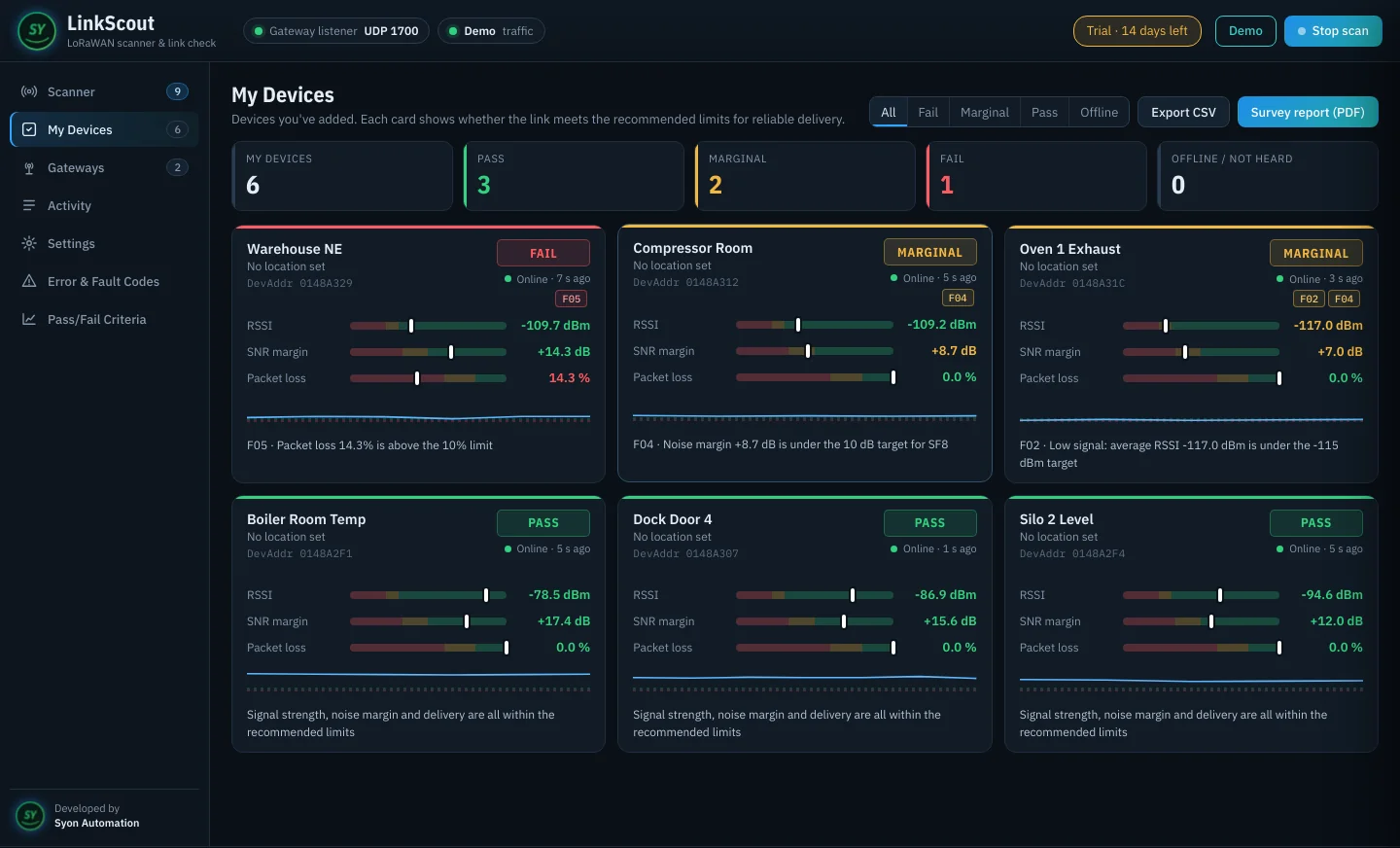
See LinkScout in 1:29
Survey the site before you sign it off
Every device your gateways hear
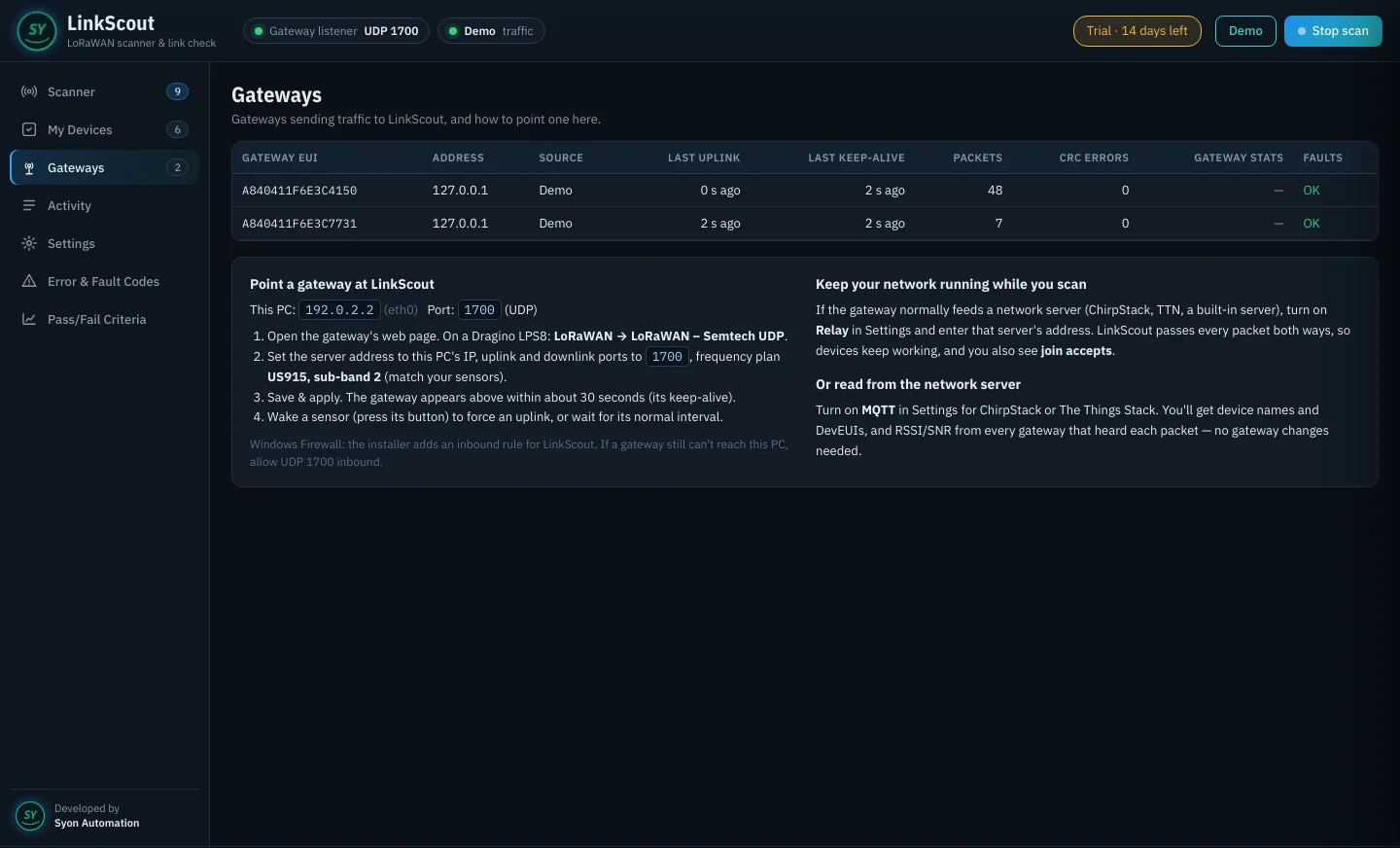
Point your gateway's packet forwarder at LinkScout (Semtech UDP, port 1700) or connect to ChirpStack or The Things Stack over MQTT. Every uplink and join request shows up live, including neighbours' devices, graded as it arrives.
- Relay mode keeps sensors connected to your network server while you scan
- Shows join requests and join accepts, so you know a device joined
- Add any device to My Devices with a name and location
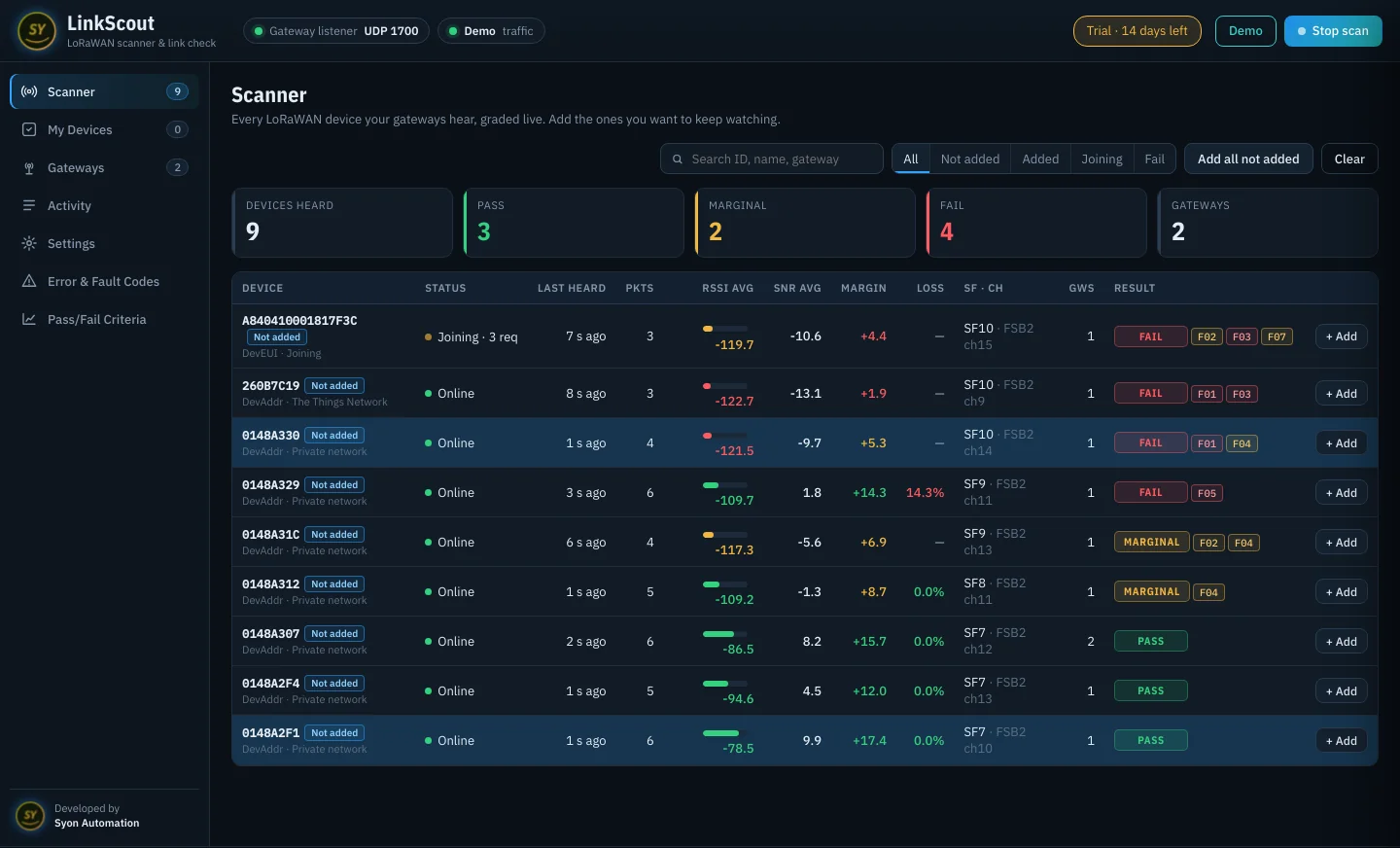
PASS, MARGINAL or FAIL, with the reason
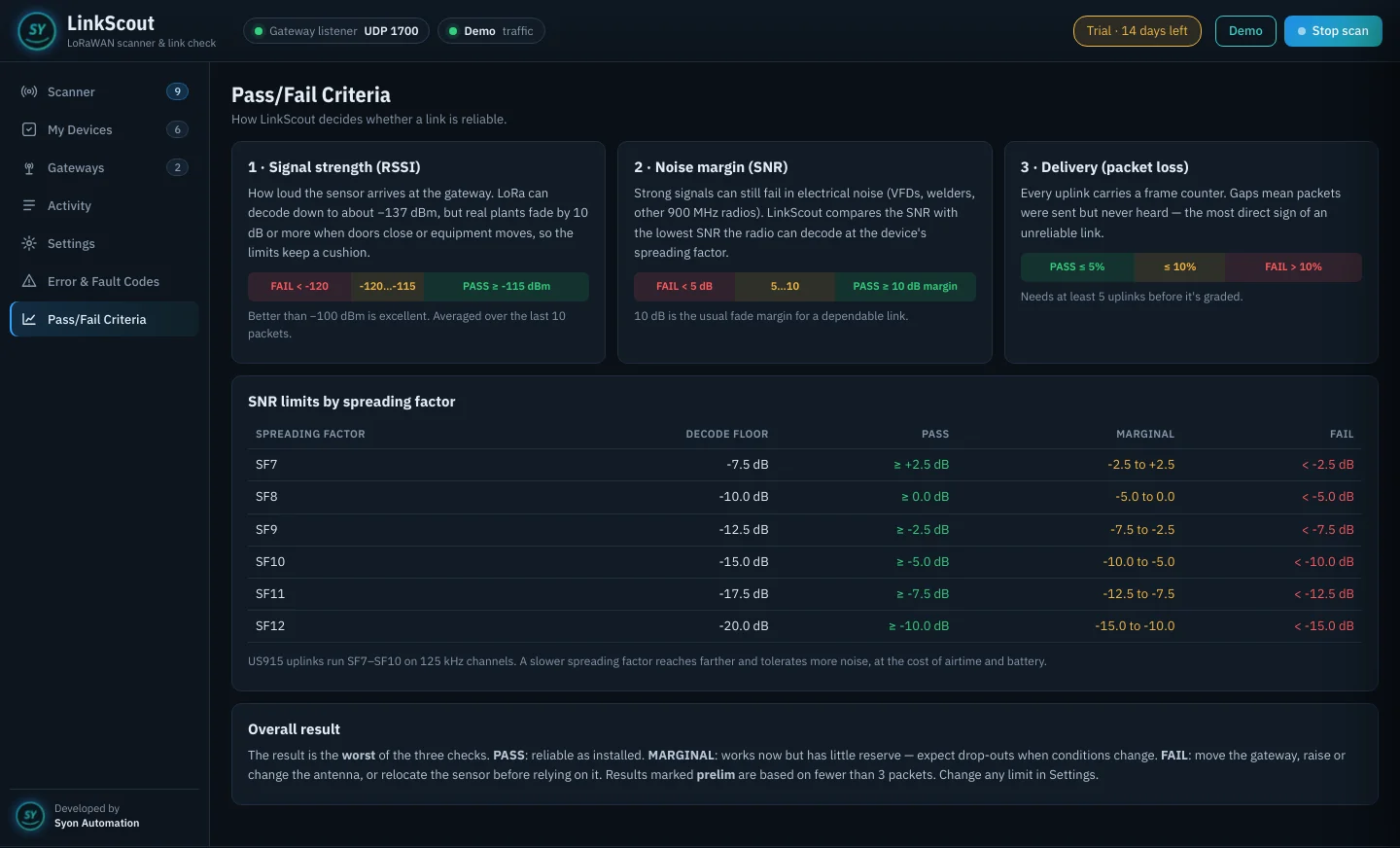
Each device is graded on average RSSI, SNR margin above the decode floor for its spreading factor, and packet loss from frame-counter gaps. The overall result is the worst of the three, with a plain-language fix.
- Recommended limits built in, all adjustable
- Averages over the last 10 packets
- Results marked prelim until enough packets arrive
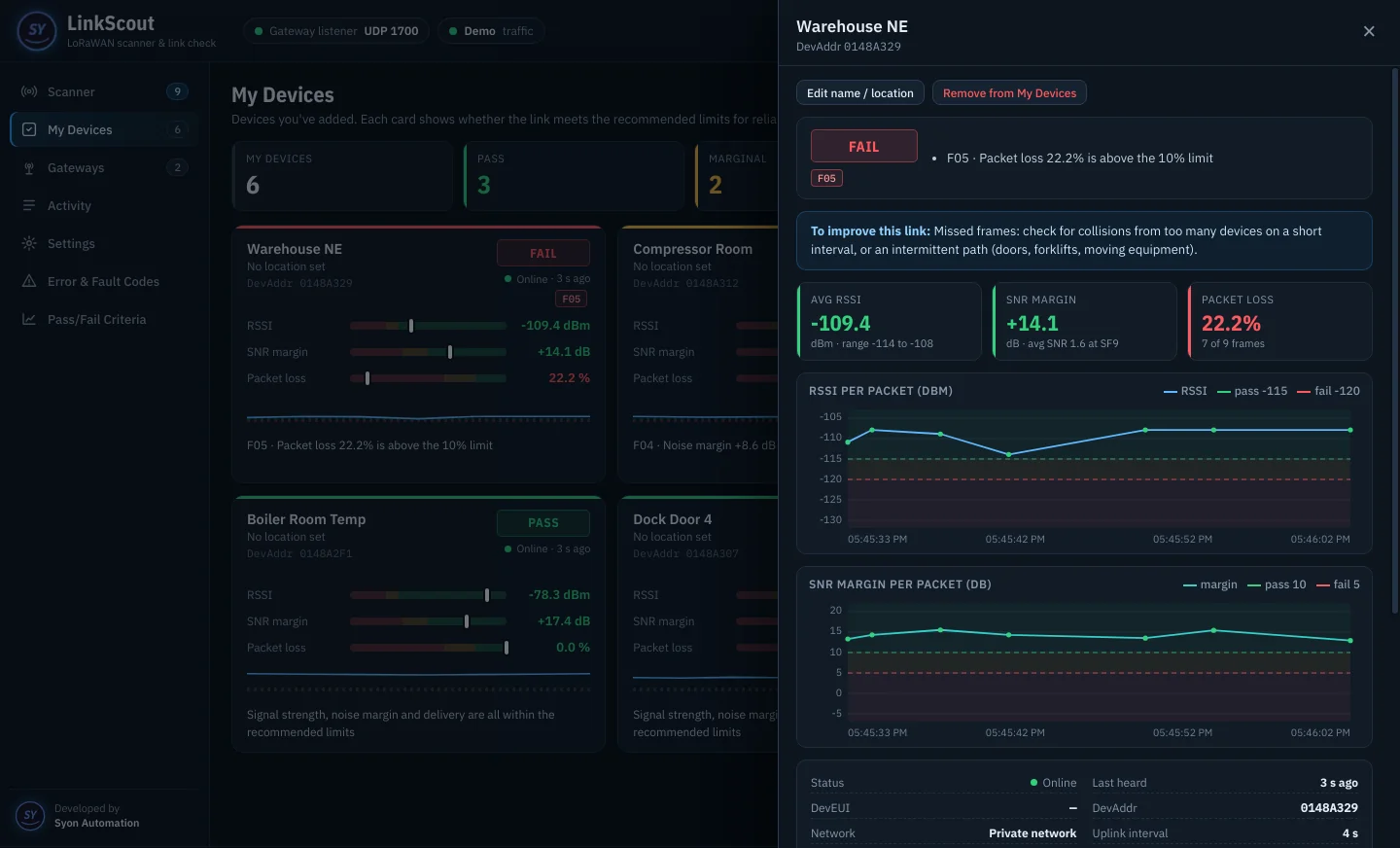
Trends for every link
Click any device for RSSI and SNR-margin charts per packet, each gateway's readings, the channel and spreading factor, and the packet log. See a link drift before it drops out.
- Per-packet RSSI and SNR charts
- Which gateways heard it and how well
- Packet log with frame counters
Fault codes that tell you what to do
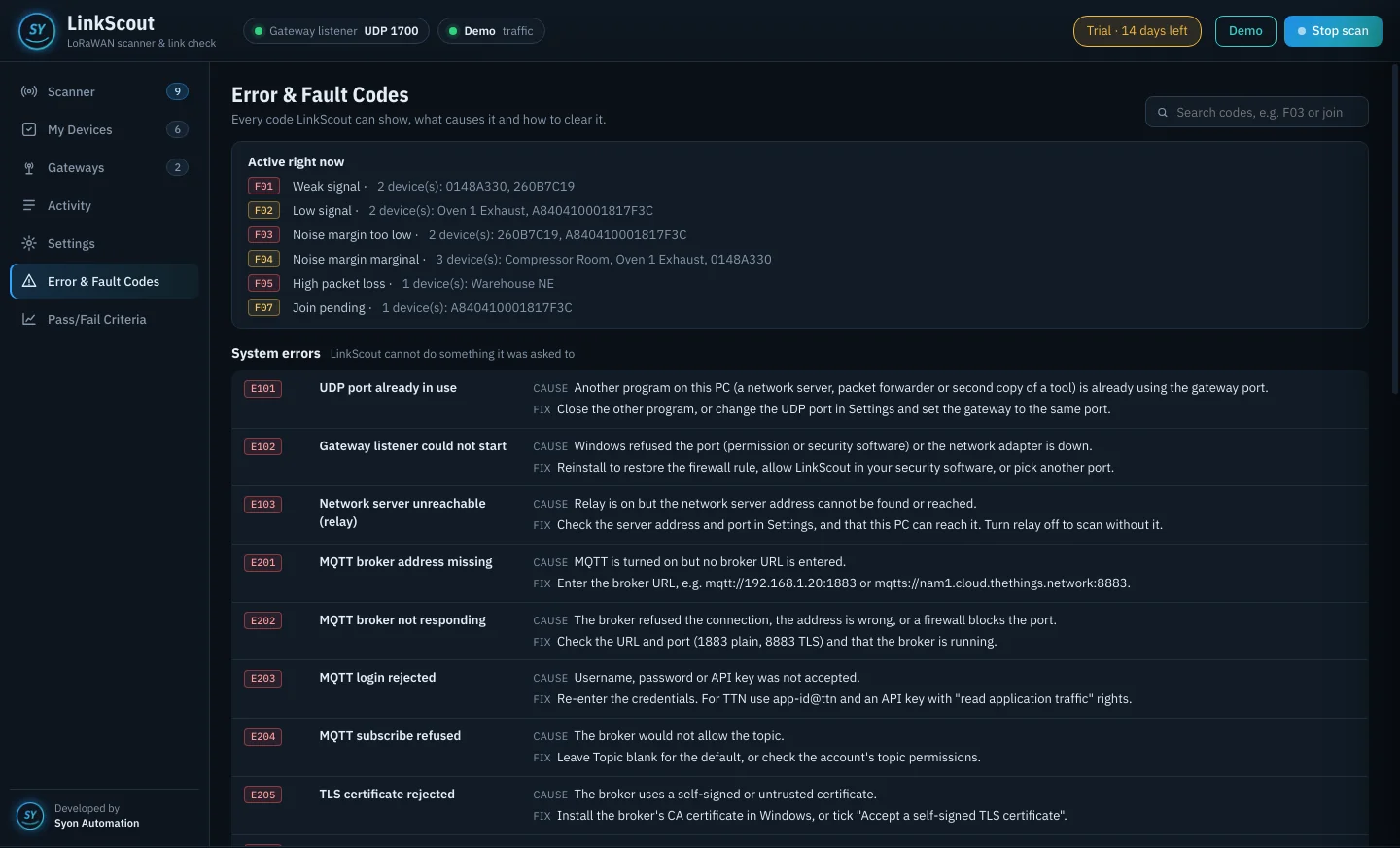
Every problem has a code: E for system errors, W for warnings, F for device link faults and G for gateway faults. Each one lists the cause and the fix, and the active ones show at the top.
- Gateway silent and CRC error detection
- Weak signal, noisy site and high loss explained
- Survey report (PDF) and CSV for the commissioning file
One-time purchase. Every feature included.
Prices in US dollars, including any sales tax or VAT. Your license key appears on the thank-you page right after payment.
Free trial
- Every feature for 14 days
- Demo mode with simulated sensors
- No credit card
14-day refund window; see the refund policy. Need an invoice or a purchase order? Send an inquiry or e-mail sales@syonautomation.com.
A closer look
Register in under a minute
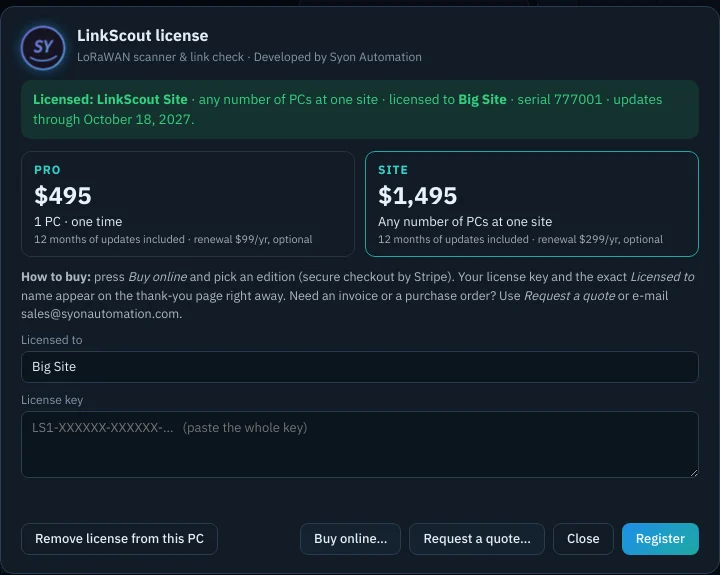
- Buy onlineIn LinkScout, click the license button at the top right, then Buy online, and pick an edition.
- Copy your keyThe thank-you page shows your key and the exact Licensed to name.
- RegisterType the name, paste the key and press Register. It is checked on the PC, with no internet needed.
What you need
| PC | Windows 10 or 11, 64-bit. Setup adds the Windows Firewall rule for UDP port 1700 |
| Gateway | Any LoRaWAN gateway with the Semtech UDP packet forwarder, or a ChirpStack / The Things Stack server over MQTT |
| Region | US915 and other LoRaWAN regions; grading uses the spreading factor of each packet |
| Internet | Not needed to run or license |
Frequently asked
What gateways does it work with?
Any LoRaWAN gateway that can forward with the Semtech UDP packet forwarder (Dragino, RAK, Kerlink, MikroTik, Milesight and most others), or any network server with MQTT: ChirpStack and The Things Stack.
Will my sensors drop off the network while I scan?
No. Turn on relay mode and LinkScout passes all traffic through to your real network server, so devices stay connected while you survey.
What happens after the 14-day trial?
Your saved devices, settings, demo mode and the help pages keep working. Live scanning, PDF survey reports and CSV export need a license key. Nothing is deleted.
What's the difference between Pro and Site?
Both include every feature. Pro covers 1 PC. Site covers any number of PCs at one site, for a commissioning team or several maintenance laptops.
Is it a subscription?
No. It's a one-time purchase that keeps working forever. The first 12 months of updates are included; after that, the optional yearly renewal keeps you on the newest version.
Does it need the internet?
No. LinkScout runs on your PC and listens to your gateways on the plant network. The license key is checked on the PC itself.