Datumline
Every hour, on the record.
A time clock, a field journal and pay-period timesheets in one Windows app, built for field-service and controls technicians. Timesheets e-mail themselves on schedule, with a sent log as proof.
Every feature, including the phone app. No credit card and no account.
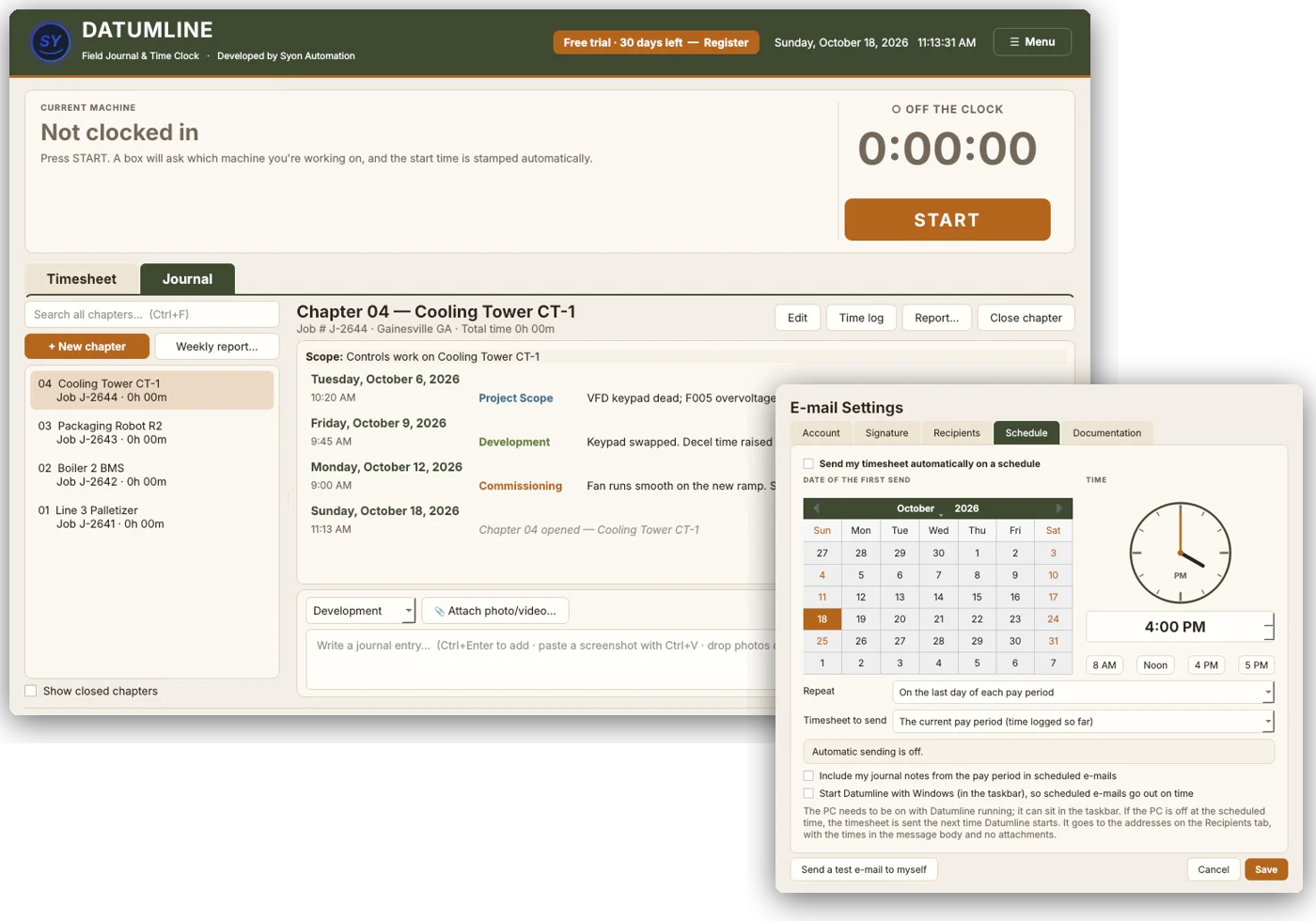
See Datumline in 1:45
From the first punch to the sent timesheet
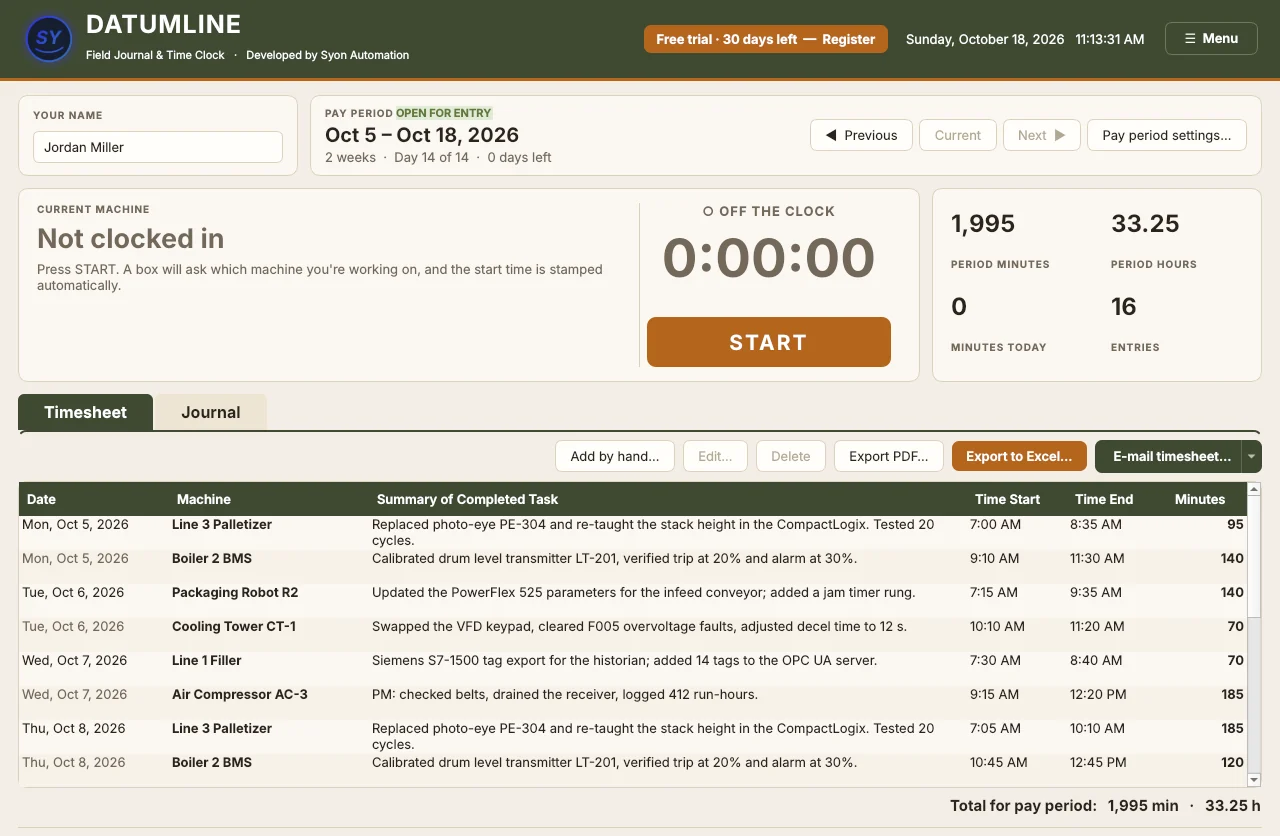
A time clock that does the paperwork
Press START, type the machine, and the time is stamped for you. Press STOP, describe the work, and it lands on the timesheet for the pay period, with day totals and the period total worked out.
- Start, pause and stop, with F5, F6 and F7 shortcuts
- Pay periods of 1 week, 2 weeks or 1 month
- Past periods lock, so last month's hours can't drift
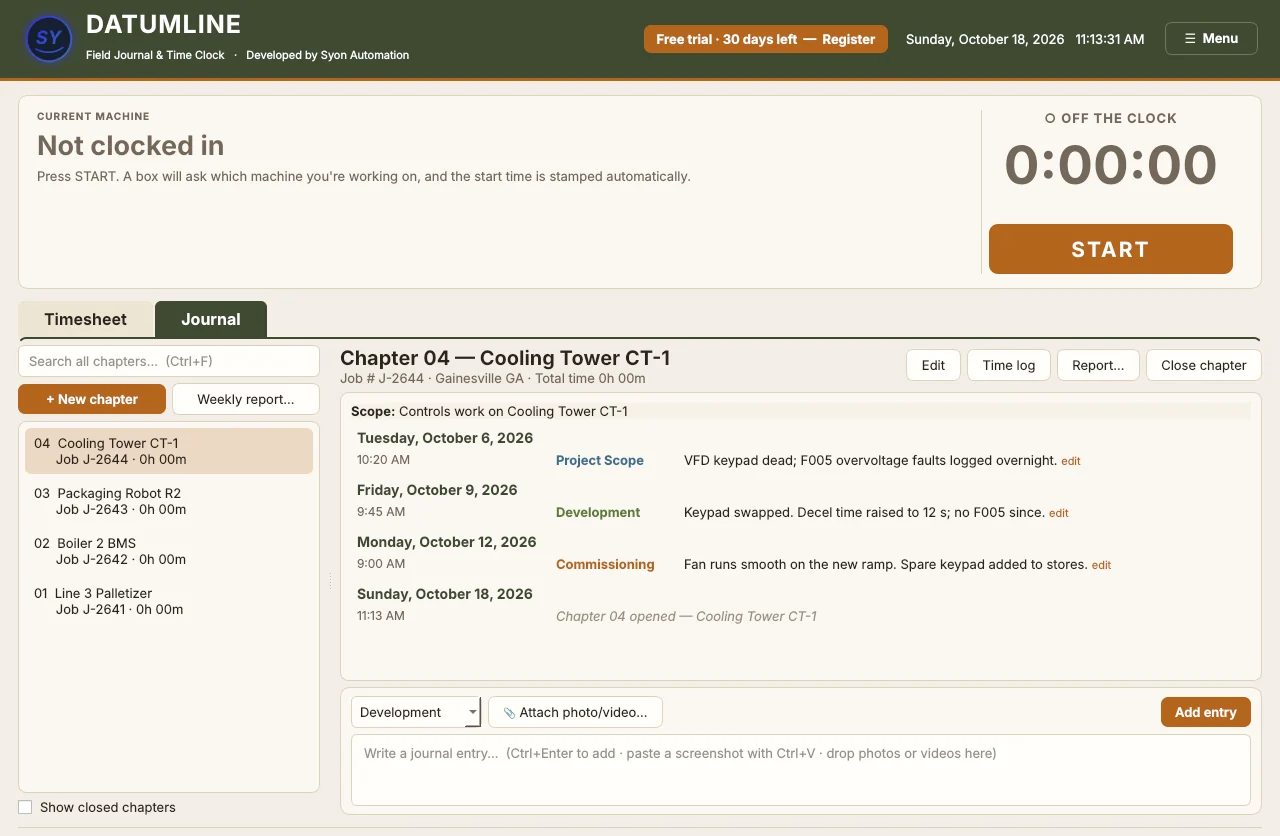
A field journal for every machine
Keep one chapter per project or machine. Every entry is time-stamped from the PC clock and tagged as scope, development, commissioning or a general note, with photos and videos attached.
- Search every chapter by word, number or exact phrase
- Time log per chapter, from the clock
- PDF status reports with photos, ready to send
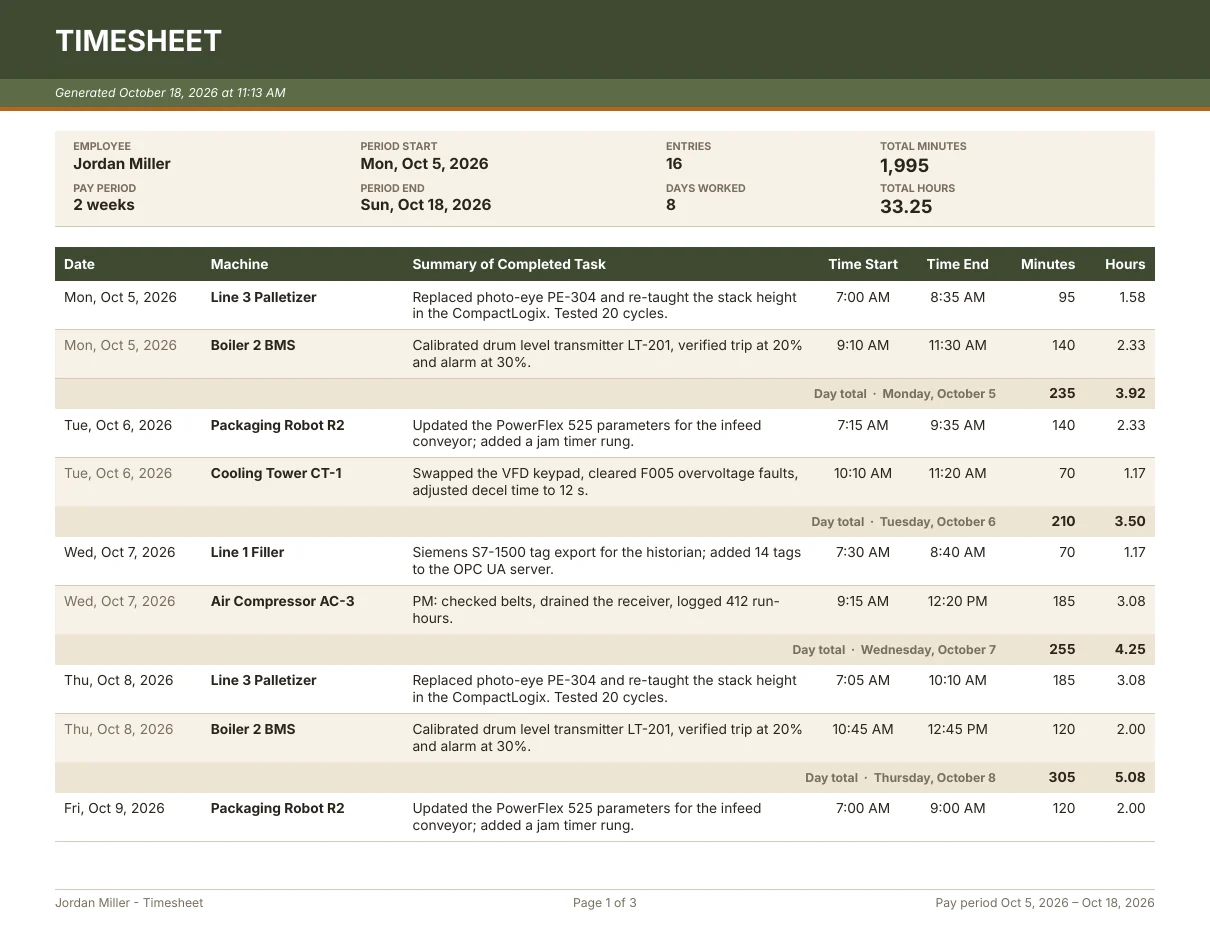
Timesheets your office can use
Export a formatted timesheet to Excel or PDF: start and end of the period, every start and stop time, the machine, the work summary, minutes, day totals and the period total.
- Excel with working formulas, or a print-ready PDF
- Your name, title and company on every page
- An optional note at the foot of every timesheet
Sent on schedule, with proof
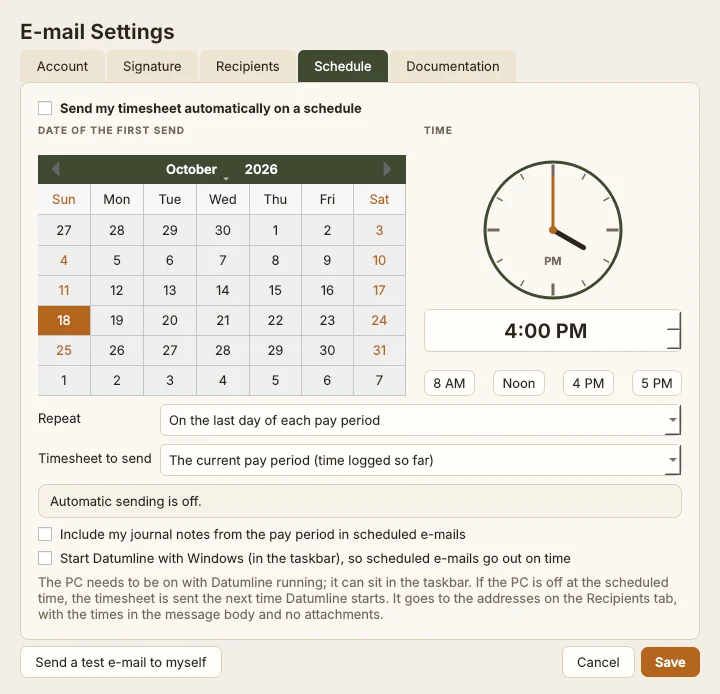
E-mail the timesheet through Outlook, Gmail or your company server, by hand or on a schedule: the last day of each pay period, weekly, monthly or whenever you choose.
- Late sends go out as soon as the PC is back on
- Sent e-mail log with times and computer name, as proof
- Optional journal notes from the pay period
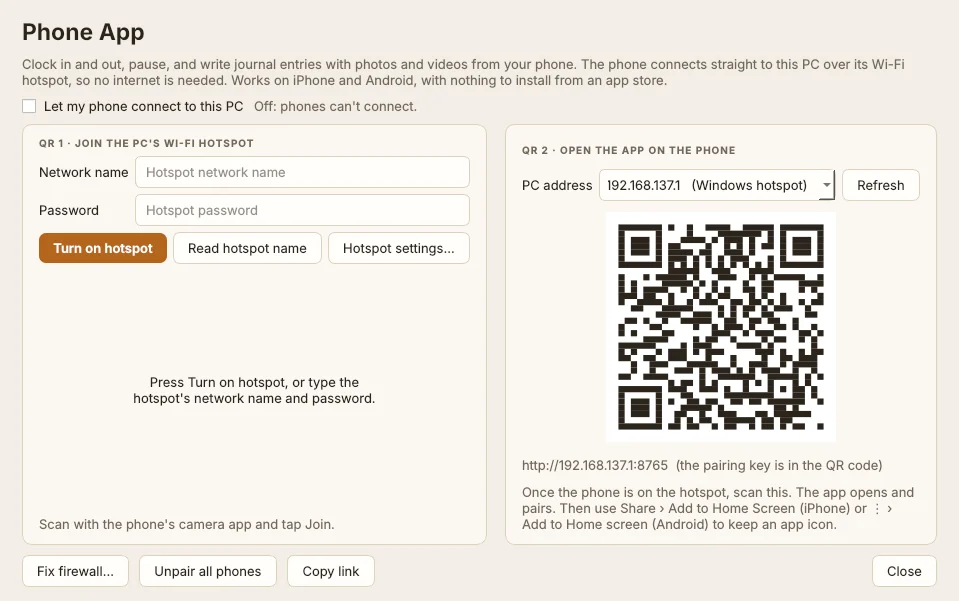
Clock in from your phone
Start, pause, stop and write journal entries with photos from an iPhone or Android phone. It connects straight to the PC over its Wi-Fi hotspot, so it works in plants with no internet.
- Nothing to install from an app store
- Works offline, then catches up when back in range
- Pairs with two QR codes
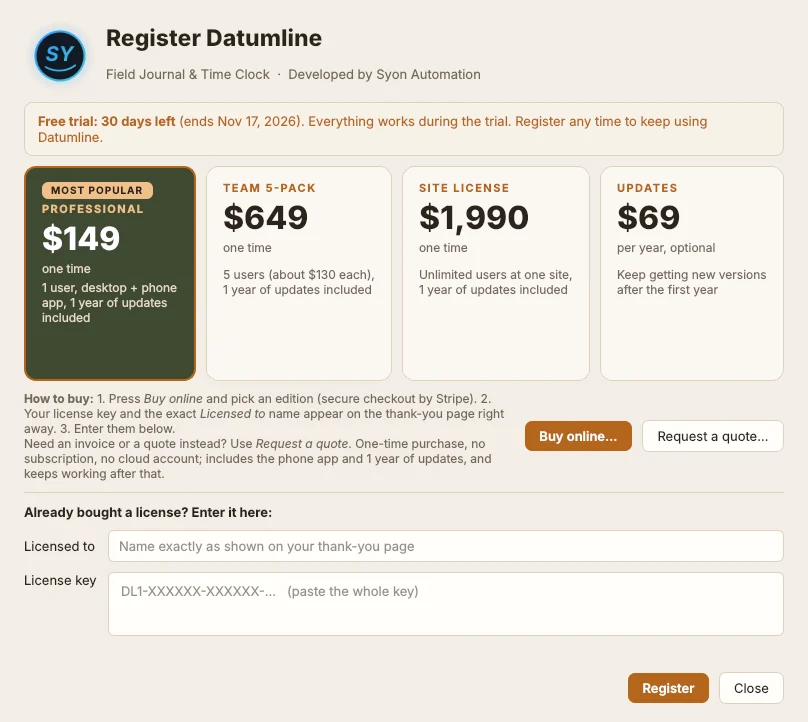
One-time purchase. Every feature included.
Prices in US dollars, including any sales tax or VAT. Your license key appears on the thank-you page right after payment.
Site
- Any number of users at one site
- Desktop and phone app
- 1 year of updates included
14-day refund window; see the refund policy. Need an invoice or a purchase order? Send an inquiry or e-mail sales@syonautomation.com.
Register in under a minute
- Buy onlineIn Datumline, press Register, then Buy online, and pick an edition.
- Copy your keyThe thank-you page shows your key and the exact Licensed to name.
- RegisterType the name, paste the key and press Register. It is checked on the PC, with no internet needed.
What you need
| PC | Windows 10 or 11, 64-bit. Python and Qt are included and installed privately; no administrator rights needed |
| Phone | Optional: any iPhone or Android phone with a browser, over the PC's Wi-Fi hotspot |
| Classic Outlook on the PC, Gmail (with an app password) or any SMTP server | |
| Internet | Not needed to run or license. Only used to send e-mail |
Frequently asked
Does it need the internet or an account?
No. Datumline runs on your PC, keeps your records on your PC, and checks the license key on the PC itself. The internet is only used if you e-mail timesheets.
What happens after the 30-day trial?
Your records stay where they are, but Datumline can't save anything new until it's licensed. Buy a key any time and type it into the Register window; nothing has to be reinstalled.
What's the difference between the editions?
All three include every feature and the phone app. Professional is for 1 user, Team covers 5 users, and Site covers any number of users at one site.
Is it a subscription?
No. It's a one-time purchase that keeps working forever. The first year of updates is included; after that, the optional Updates renewal keeps you on the newest version.
How do I renew updates?
Press Renew updates and paste your current license key (it starts with DL1-). The thank-you page shows your renewed key; enter it in the Register window the same way.
Can my company buy with an invoice or purchase order?
Yes. In Datumline press Register, then Request a quote, or e-mail sales@syonautomation.com.