DatumLab
Live plant data, ready to analyze.
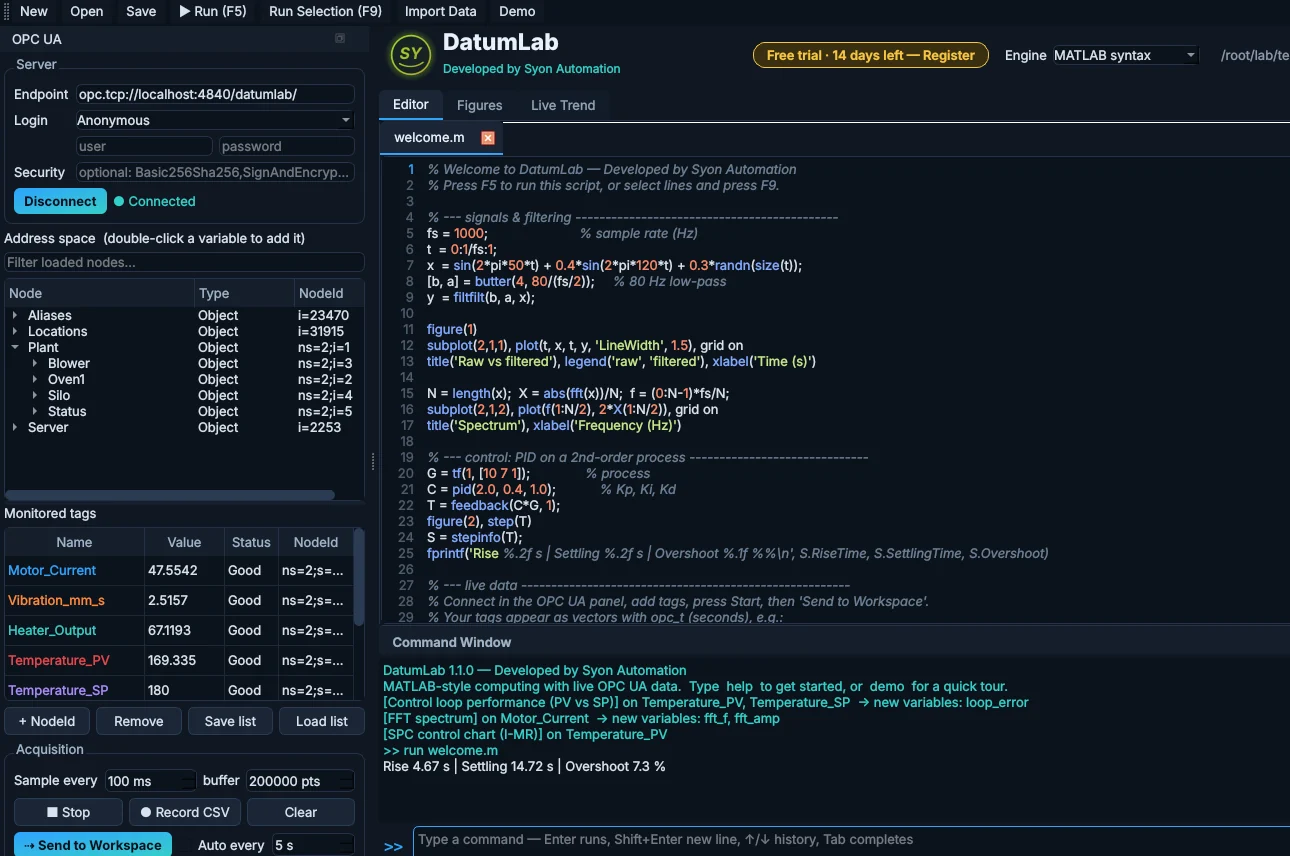
MATLAB-style computing that pulls live tags straight from your PLCs over OPC UA, then runs loop performance, FFT, SPC and capability analysis in one click. No exports, no spreadsheets, no big-name license.
Every feature and any number of tags during the trial. No credit card.
See DatumLab in 1:51
From the PLC to the answer, in one window
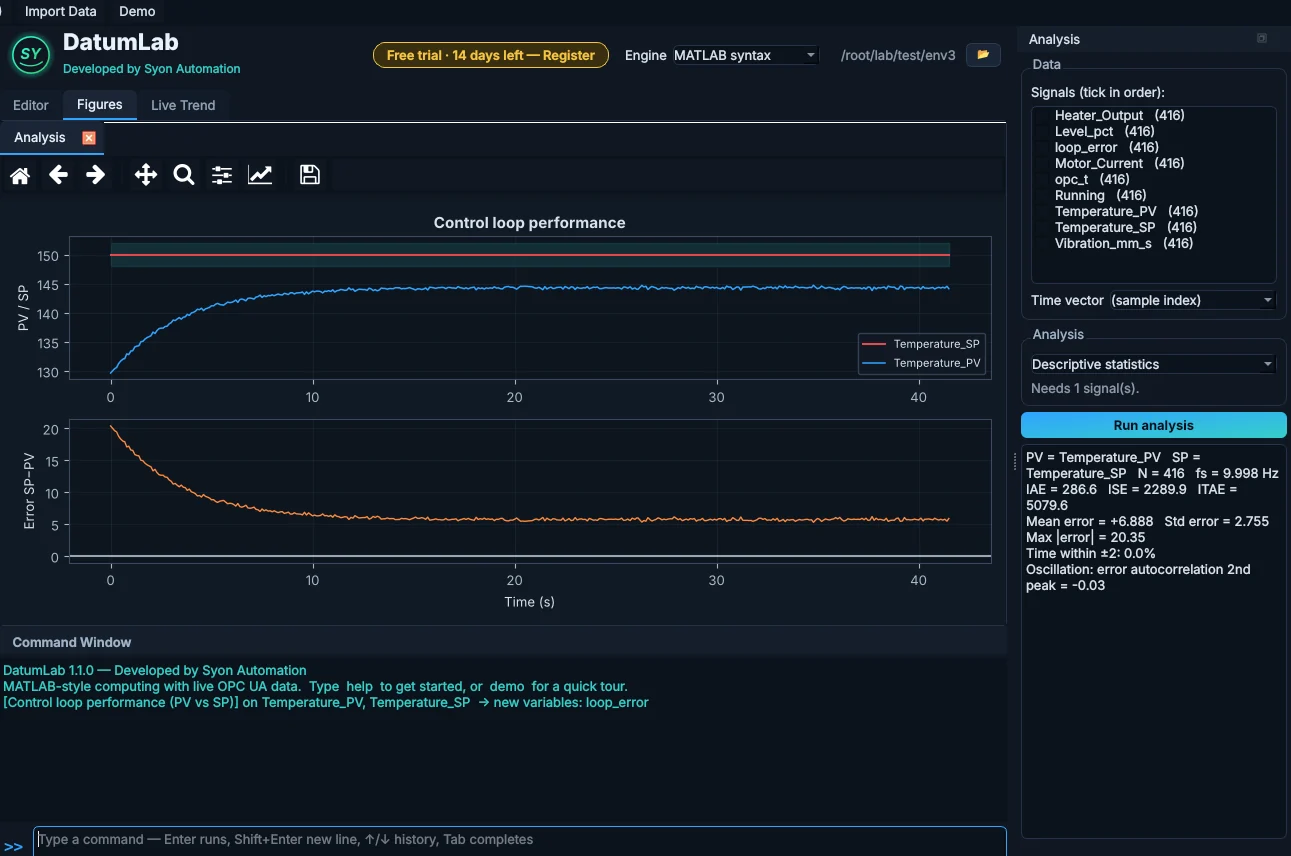
Live tags, straight off the PLC
Connect to any OPC UA server (Kepware, FactoryTalk Linx Gateway, Ignition, Siemens S7-1500, Beckhoff), browse the address space and double-click the tags you want. They stream into a live trend at a fixed rate, so FFTs and filters are valid.
- Anonymous or user and password, with OPC UA security
- Record every sample to CSV
- Send to Workspace: each tag becomes a vector
Find out why the loop is misbehaving
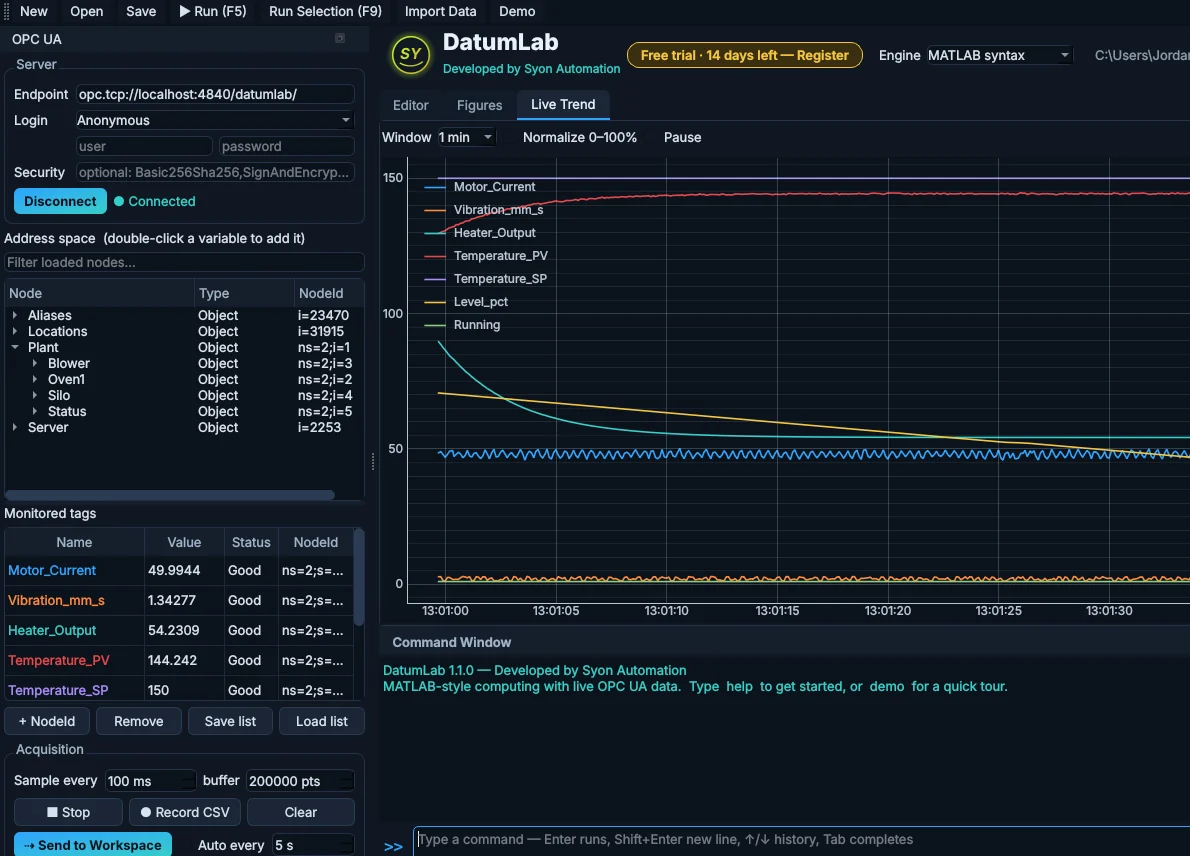
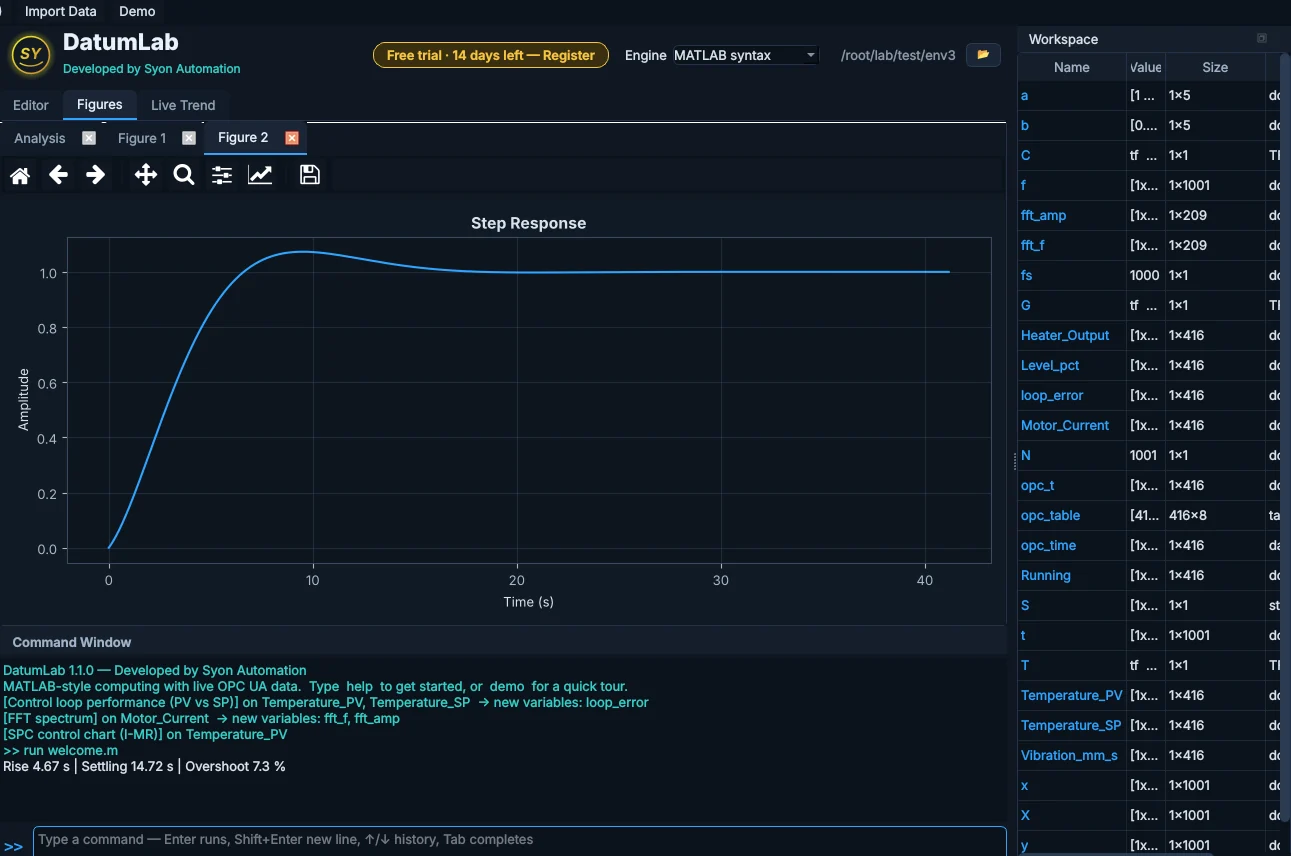
Pick the PV and SP and run control-loop performance: IAE, ISE and ITAE, time in band, oscillation detection, output saturation and valve reversals, with the error plotted underneath.
- Step-response metrics with an FOPDT estimate
- SIMC PI tuning starting point
- Cross-correlation for lag and dead time
Vibration and ripple, in one click
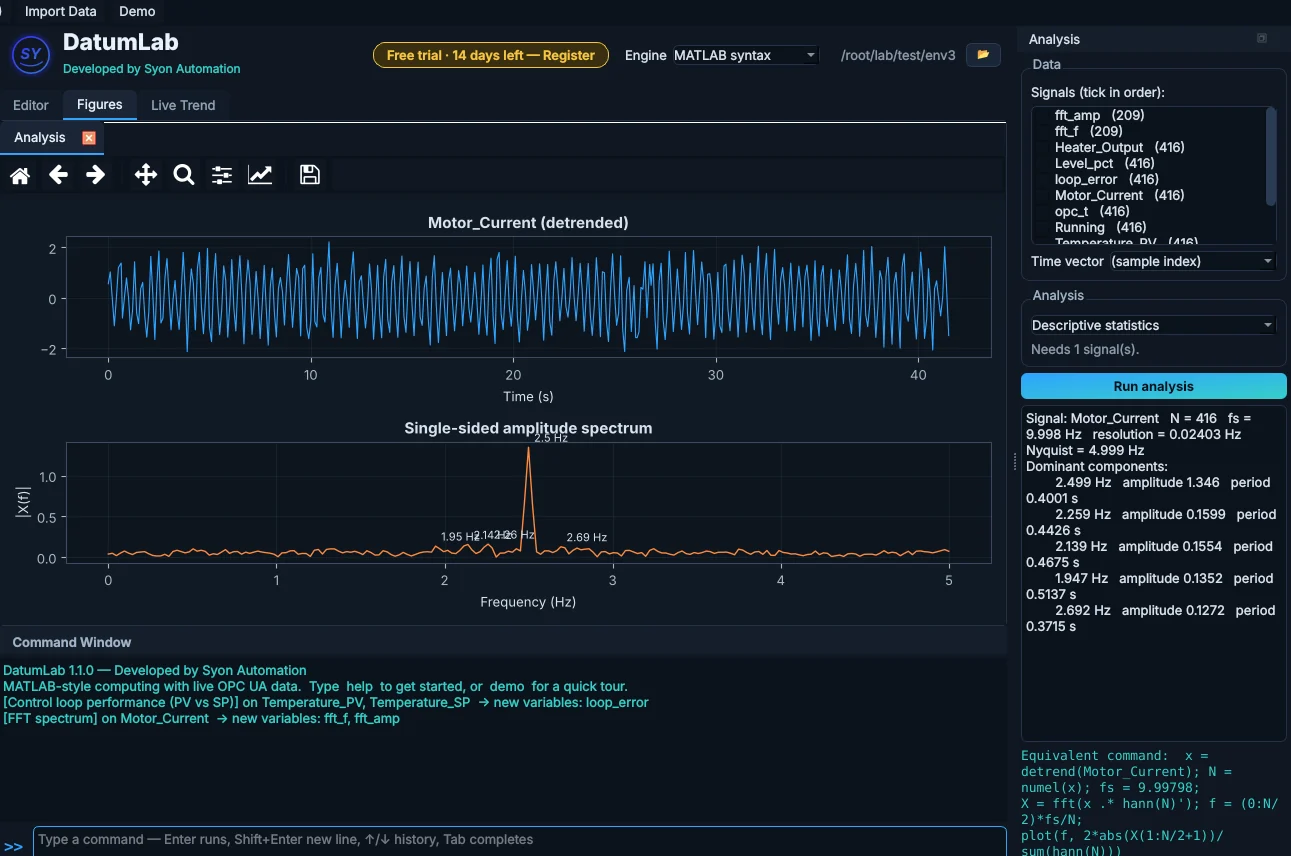
The FFT spectrum and Welch PSD pull the dominant frequencies out of motor current, vibration or any fast signal, with peak amplitudes and periods listed next to the plot.
- Butterworth low-pass and moving filters
- Peak and MAD outlier detection
- Every result lands in the workspace as a new vector
SPC and capability for quality
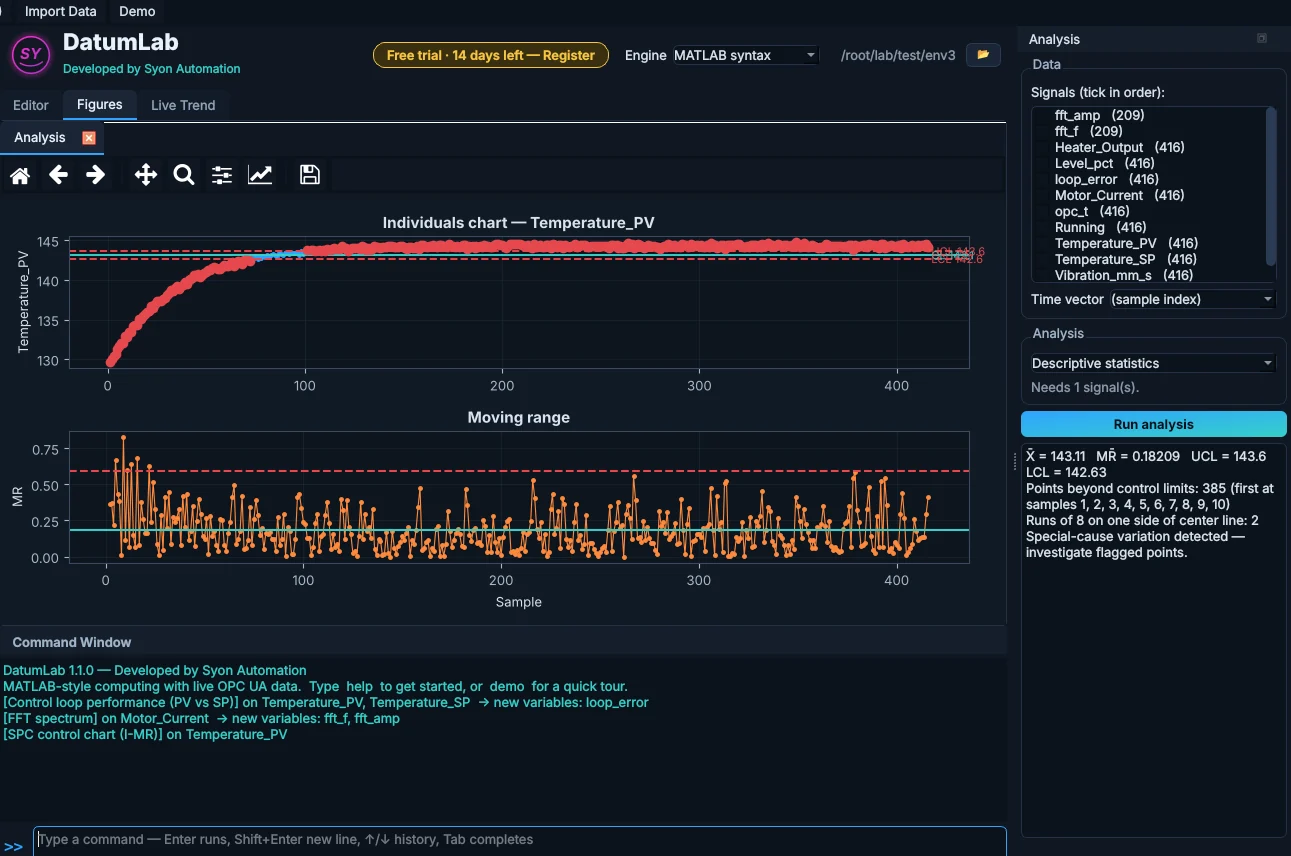
I-MR control charts with limits and run rules, histograms with Cp, Cpk, Pp and Ppk against your spec limits, and descriptive statistics, straight from live plant data.
- Flags points beyond the limits and run-rule breaks
- Correlation matrix across tags
- Trend and linear regression
It speaks MATLAB
Write everyday MATLAB code: 1-based indexing, matrices, plots, tf, pid, step and bode, ode45 and fminsearch. More than 350 functions are built in, plus a full Python engine and an optional GNU Octave engine for function files.
- Script editor, command window and workspace
- Import CSV, Excel and .mat files
- opc.read and opc.write in your own scripts
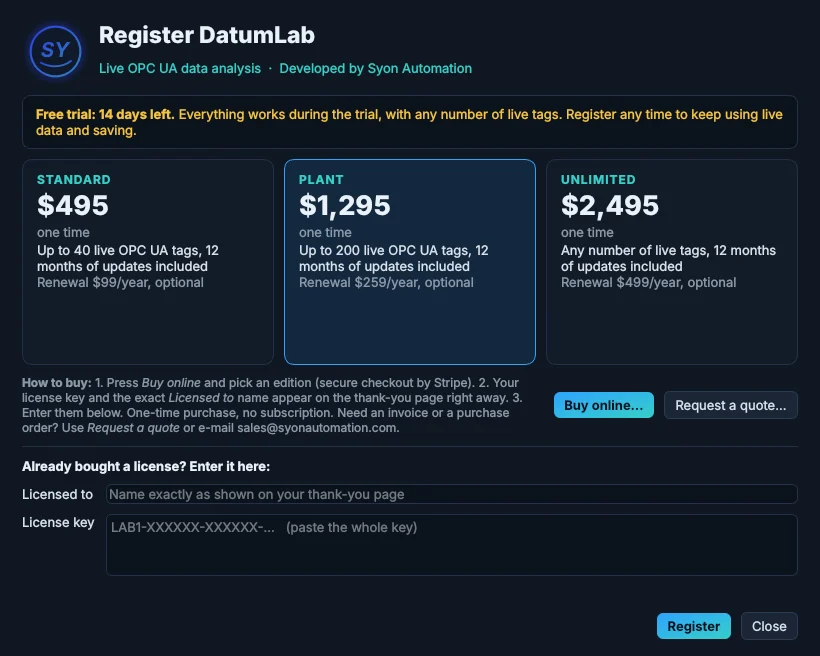
One-time purchase. Pick your tag count.
Prices in US dollars, including any sales tax or VAT. Every edition has every feature; they differ only in how many live OPC UA tags you can watch at once. Your license key appears on the thank-you page right after payment.
Free trial
- Every feature for 14 days
- Any number of live tags
- No credit card
Standard
- Up to 40 live tags
- Every analysis and engine
- 12 months of updates included
Plant
- Up to 200 live tags
- Every analysis and engine
- 12 months of updates included
Unlimited
- Any number of live tags
- Every analysis and engine
- 12 months of updates included
14-day refund window; see the refund policy. Need an invoice, a purchase order or several seats? Send an inquiry or e-mail sales@syonautomation.com.
A closer look
Register in under a minute
- Buy onlineIn DatumLab, click the license button in the header, then Buy online, and pick an edition.
- Copy your keyThe thank-you page shows your key and the exact Licensed to name.
- RegisterType the name, paste the key and press Register. It is checked on the PC, with no internet needed.
What you need
| PC | Windows 10 or 11, 64-bit. Python, NumPy, SciPy and the OPC UA client are included; no administrator rights needed |
| OPC UA | Any OPC UA server: Kepware, FactoryTalk Linx Gateway, Ignition, Siemens S7-1500, Beckhoff, B&R and more. A demo server is included |
| Octave | Optional: GNU Octave (free, octave.org) for running your own .m function files |
| Internet | Not needed to run or license |
Frequently asked
What counts as a live tag?
Each tag in the Monitored tags list, plus any different tag read with opc.read in a script. Standard covers 40, Plant 200 and Unlimited any number. One OPC UA server such as Kepware can sit in front of many PLCs; DatumLab counts the tags, not the PLCs.
What happens after the 14-day trial?
Your scripts still open and run, and the math works as before. Connecting to OPC UA and saving (scripts, workspaces, exports and CSV recording) are switched off until you enter a license key. Nothing is deleted.
Is it a subscription?
No. Every edition is a one-time purchase that keeps working forever. The first 12 months of updates are included; after that, the optional yearly renewal keeps you on the newest version.
Does it need the internet?
No. DatumLab runs on your PC and talks to your OPC UA servers on the plant network. The license key is checked on the PC itself.
Can I upgrade from Standard to Plant later?
Yes. E-mail sales@syonautomation.com with your Standard key and you pay the difference.
Is it a MATLAB replacement?
For everyday plant-data work, yes: signals, statistics, control and plotting. It does not run Simulink or MATLAB toolboxes, and the MATLAB-syntax engine does not run function files or classdef; use the included Octave engine for function files.
MATLAB and Simulink are trademarks of The MathWorks, Inc. DatumLab is not made or endorsed by MathWorks.