DataCast
Put your data on every screen.
Build interactive TV displays on your PC, with videos, menu boards and live PLC data over OPC UA, and send them to every screen in the building. Or put a looping advert on a USB stick for a single TV.
Also free: DataCast USB trial · DataCast Simulator (a simulated PLC and Pi screen, no hardware needed).
Signage that knows what the plant is doing
A kiosk your visitors drive with the TV remote
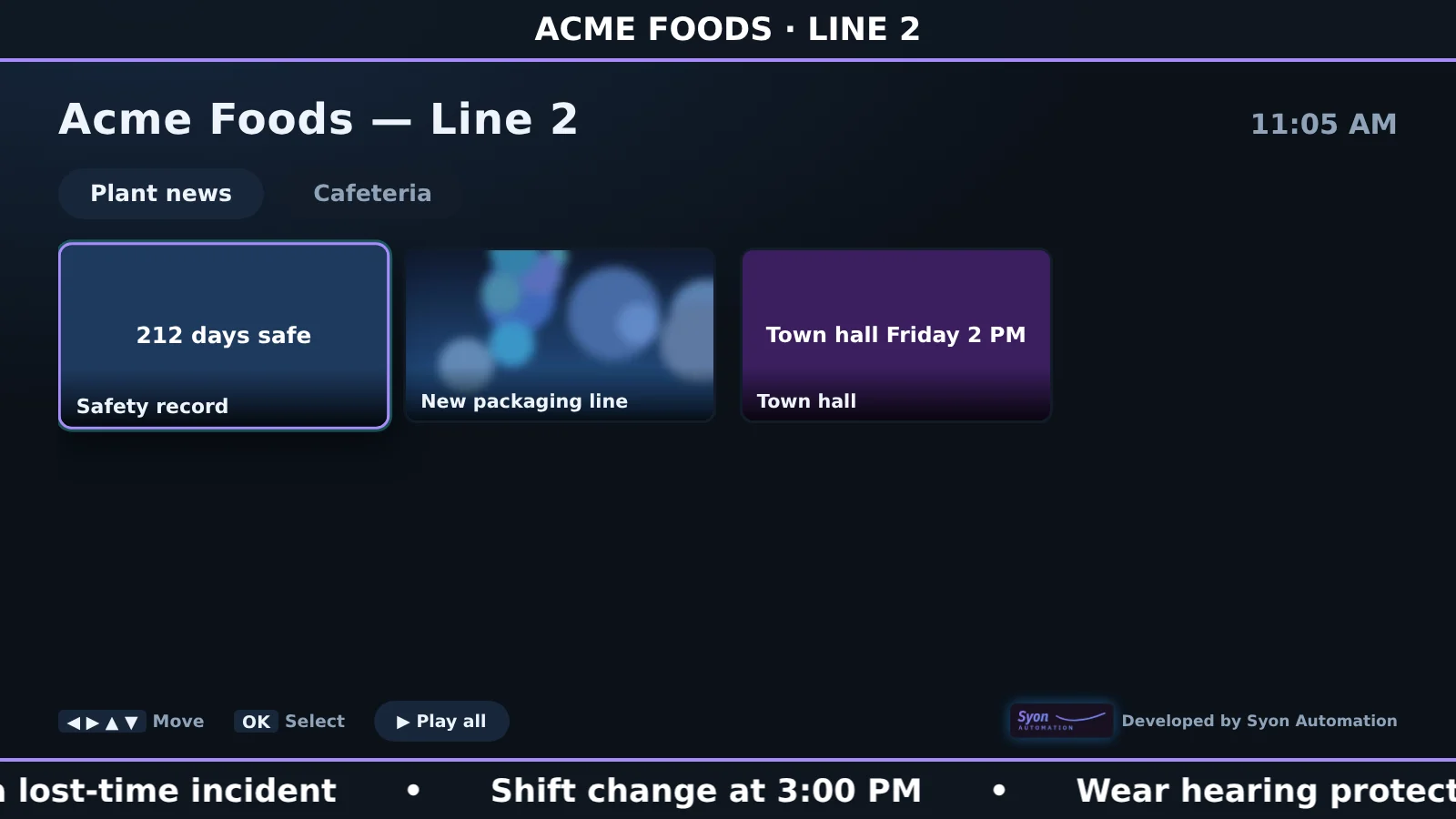
Categories across the top, tiles for every video, picture, slide and board. Visitors move with the arrow keys and press OK, or it plays on its own after a minute of no one touching it.
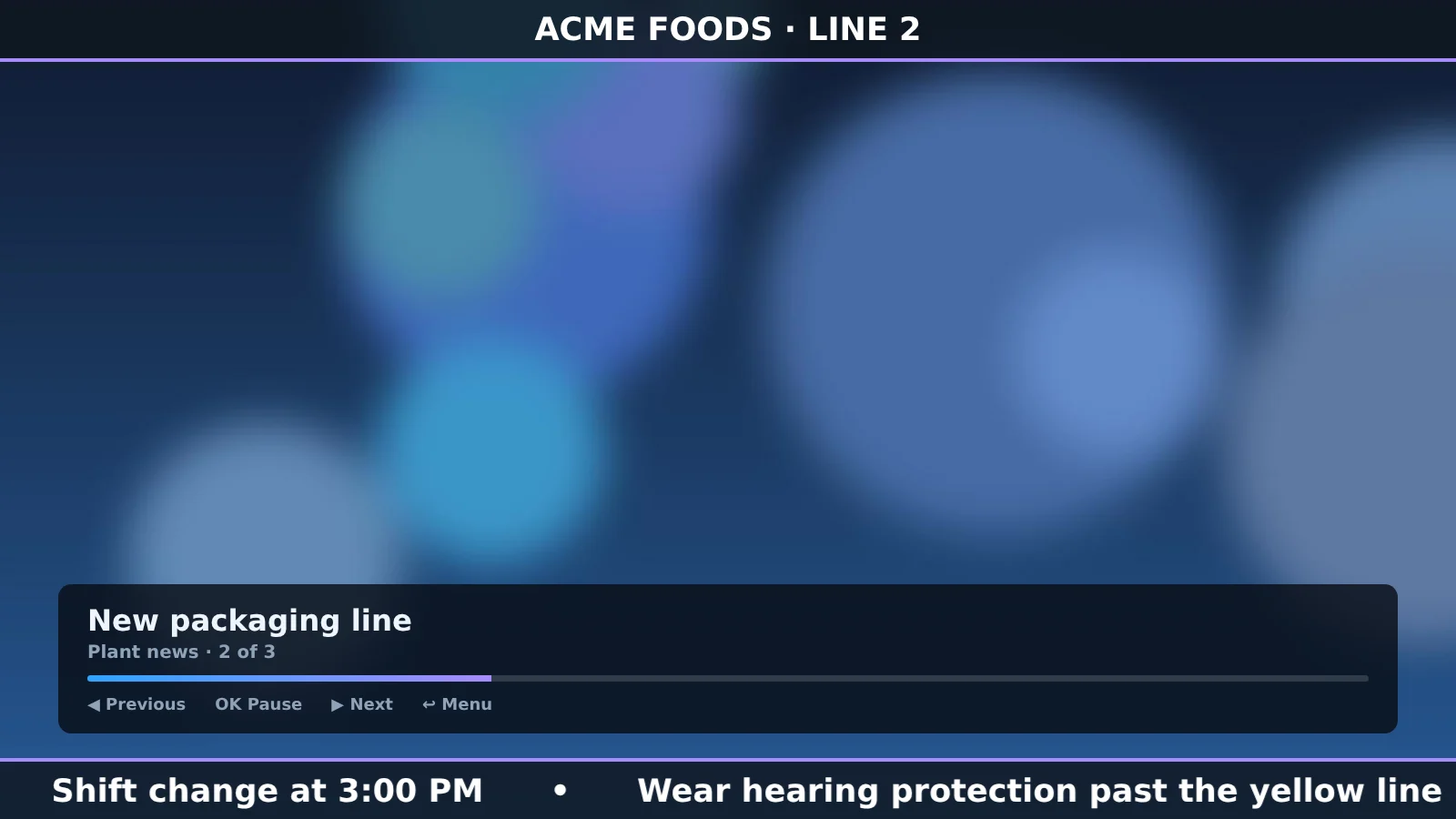
- Headline bar and scrolling ticker on every screen
- Two languages, schedules, QR codes, clock and weather
- Touchscreens work too
Menu boards, live PLC boards and scan boards
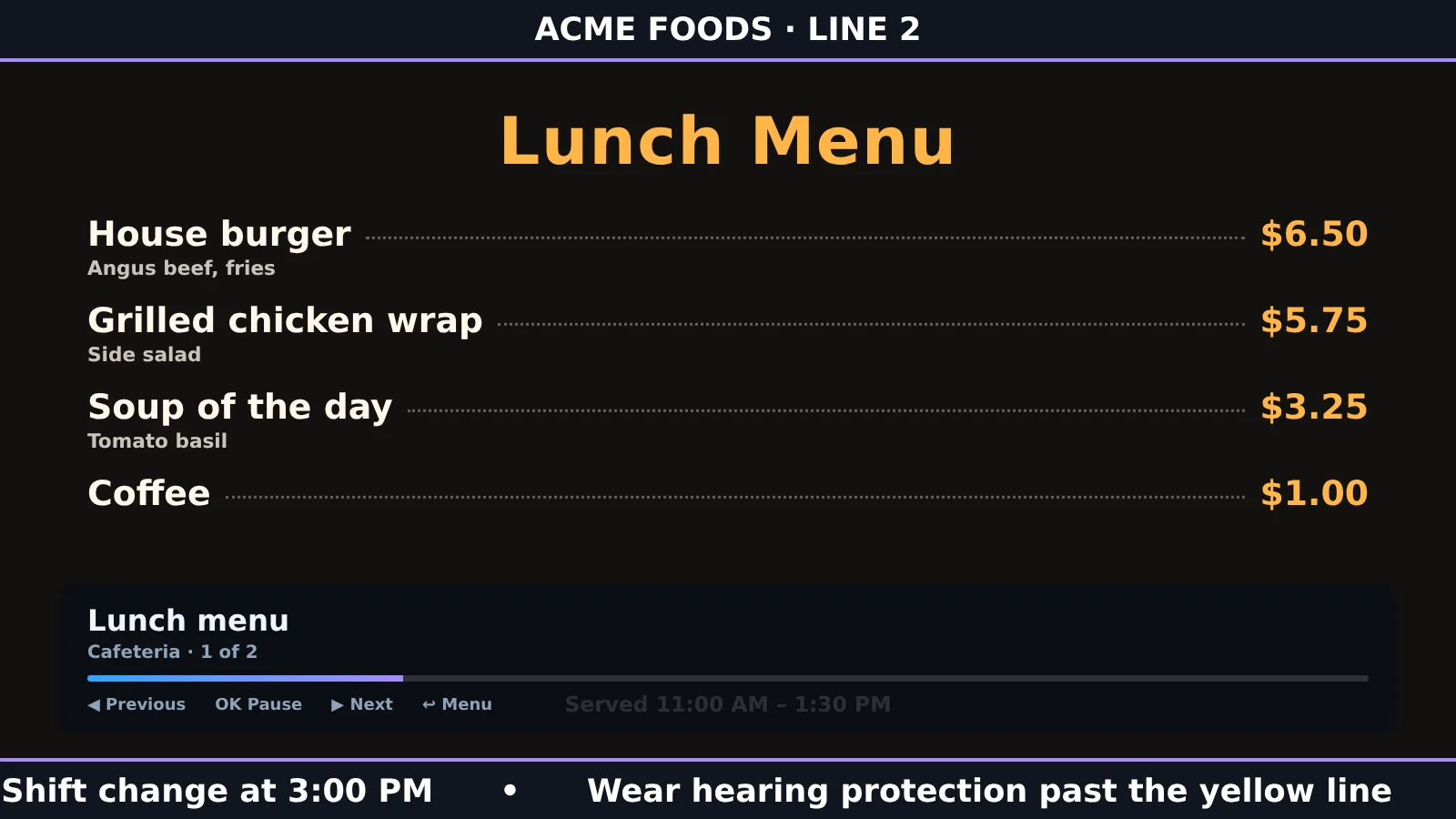
Build a cafeteria menu, an airport-style flight board of live PLC tags, live tiles, or a cart scan board for an oven, where each RFID scan adds a time-stamped row with dwell time.
- Live PLC data over OPC UA, read directly by Raspberry Pi screens
- Values update on screen as the tags change
- Emergency message covers every screen within 5 seconds
One Hub for every screen
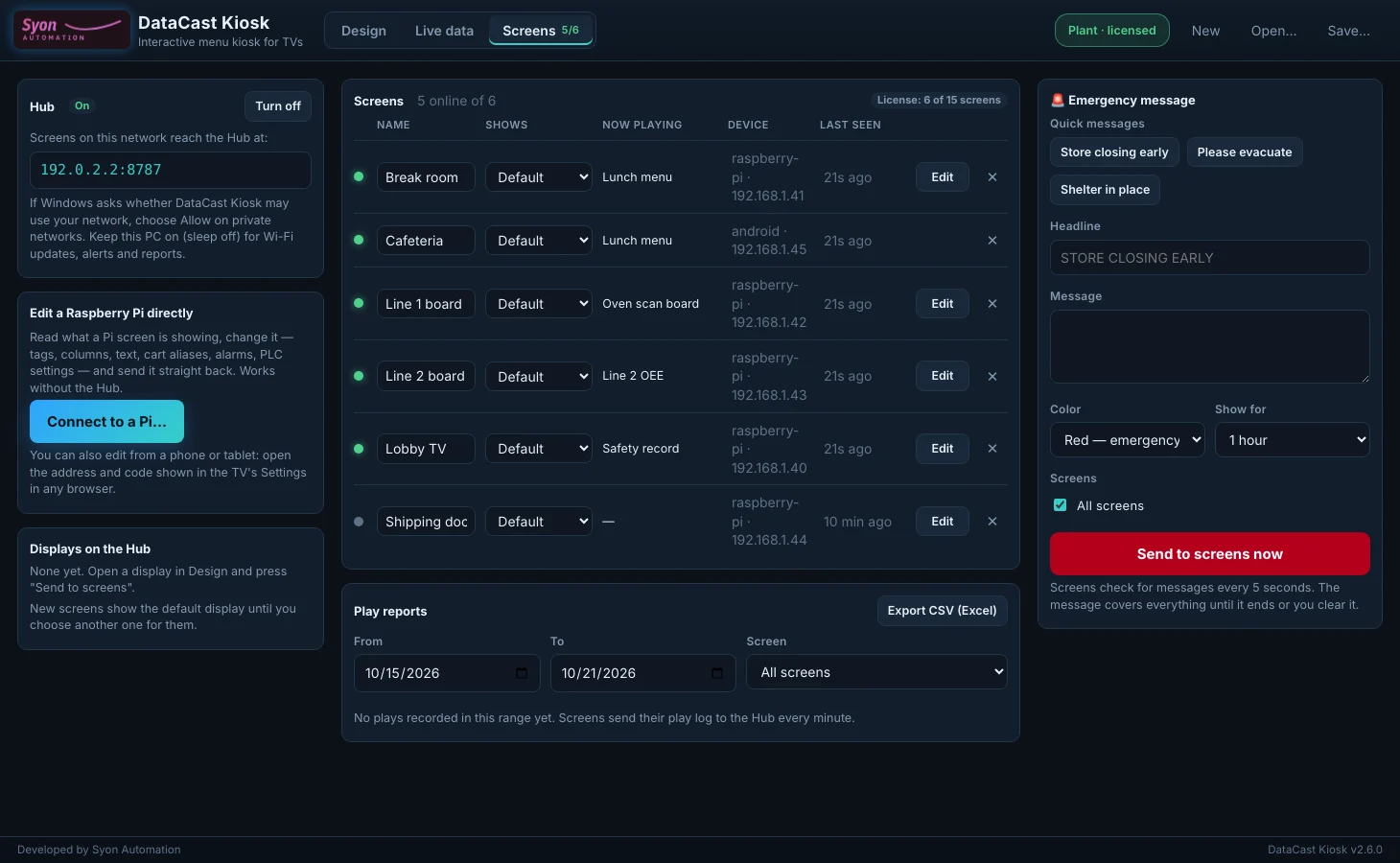
DataCast Kiosk runs a Hub on your PC. Every Raspberry Pi, Fire TV and Google TV screen on the network checks in, downloads its display over Wi-Fi and sends back a play report.
- See which screens are online and what they are showing
- Pick a different display for each screen
- Play reports export to Excel
DataCast USB: one TV, no extra hardware
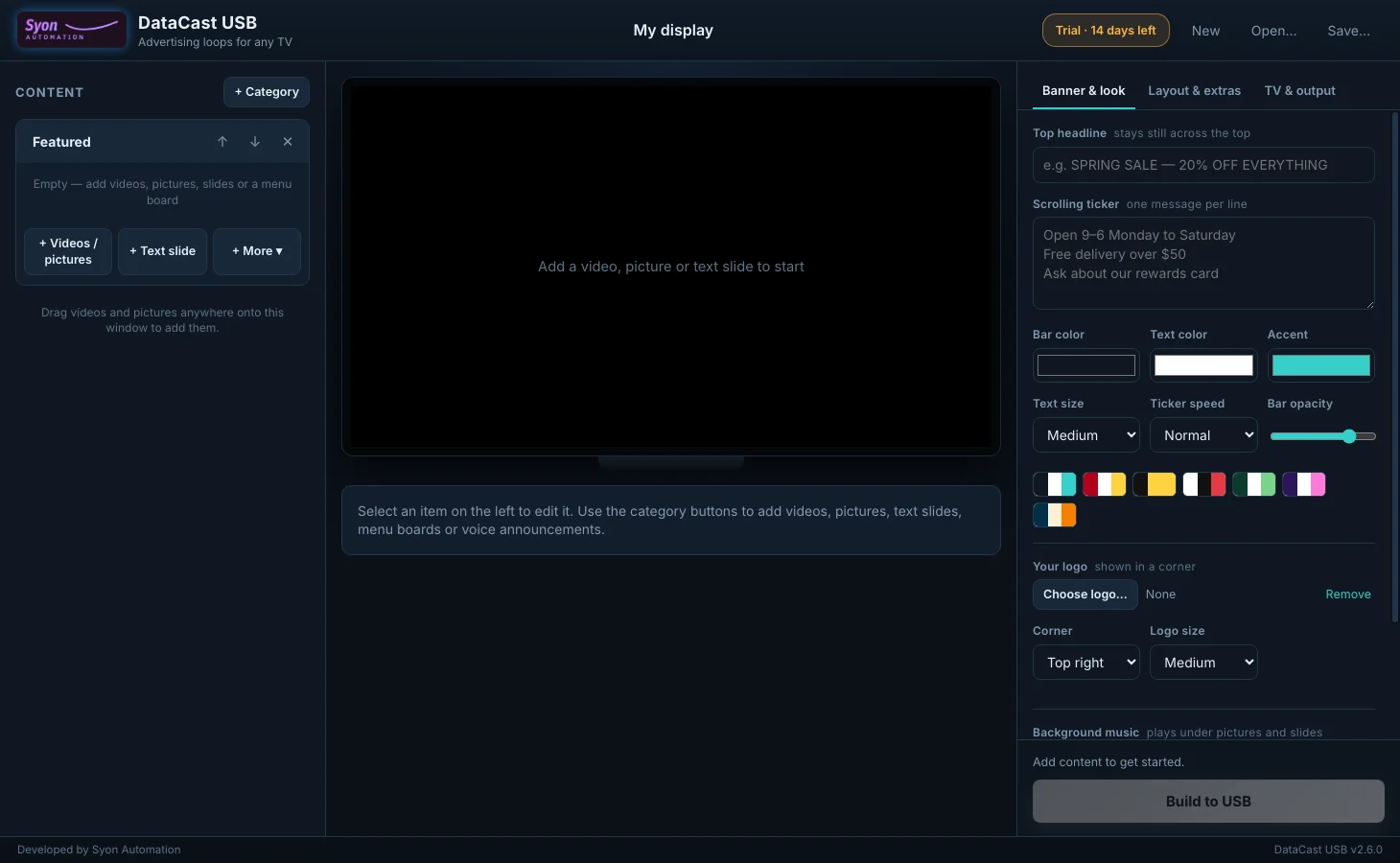
Pick your TV brand and model, add videos, pictures and text, and DataCast USB writes a looping advert or a folder menu to a USB stick that plays in the TV's own media player.
- Samsung, LG, Sony, TCL, Hisense, Vizio and more
- One looping video or a folder menu
- Banner, ticker, logo and background music
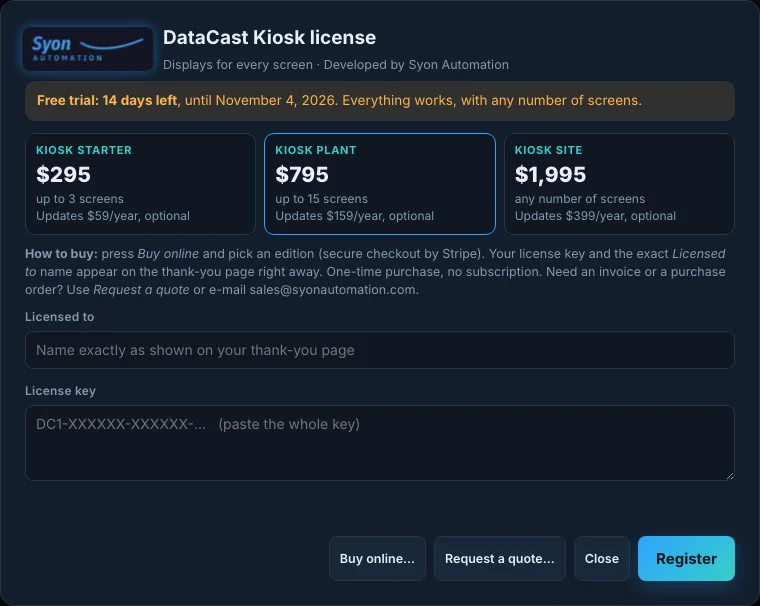
One-time purchase. Pick your screen count.
Prices in US dollars, including any sales tax or VAT. Every edition has every feature. Your license key appears on the thank-you page right after payment.
DataCast Kiosk: many screens over your network
DataCast USB: one TV, no extra hardware
DataCast USB
- Loop video or folder menu on a USB stick
- One PC, any number of sticks
- 12 months of updates included
DataCast Simulator
- Simulated PLC (OPC UA)
- Simulated Raspberry Pi screen
- Try Kiosk before buying hardware
14-day refund window; see the refund policy. Need an invoice or a purchase order? Send an inquiry or e-mail sales@syonautomation.com.
Register in under a minute
- Buy onlineClick the license button at the top right of DataCast, then Buy online, and pick an edition.
- Copy your keyThe thank-you page shows your key and the exact Licensed to name.
- RegisterType the name, paste the key and press Register. It is checked on the PC, with no internet needed, and screens drop the trial badge within a minute.
What you need
| PC | Windows 10 or 11, 64-bit. No administrator rights needed |
| Screens | Raspberry Pi 4 or 5 (recommended for live PLC data), Fire TV or Google TV stick, or any TV that plays from USB |
| PLC data | Any OPC UA server: CompactLogix/ControlLogix, Siemens, KEPServerEX, Ignition and others |
| Network | Your own network; no internet or cloud account needed |
Frequently asked
Which one do I need, Kiosk or USB?
DataCast USB is for one TV playing from a USB stick, with no extra hardware. DataCast Kiosk is for several screens that update over your network: Raspberry Pi players (needed for live PLC data), Fire TV and Google TV sticks, with the Hub, emergency messages and play reports. A Kiosk license also covers everything DataCast USB does.
What counts as a screen?
Each TV player that checks in with the Hub or that you edit directly: a Raspberry Pi, a Fire TV or Google TV stick, or a kiosk on a USB stick linked to the Hub. Starter covers 3 screens, Plant 15 and Site any number. Forget a screen in the Screens view to free its place.
What happens after the 14-day trial?
DataCast Kiosk keeps working, but every screen shows a small “DataCast trial, not licensed” badge and new screens can't join. DataCast USB's trial videos carry a small trial mark, and after 14 days exporting needs a key. Your displays and projects are never deleted.
How do I try it without hardware?
Install the free DataCast Simulator. It runs a simulated PLC (OPC UA) and a simulated Raspberry Pi screen on your PC, so you can build a live board in DataCast Kiosk and watch it update.
Is it a subscription?
No. It's a one-time purchase that keeps working forever. The first 12 months of updates are included; after that, the optional yearly renewal keeps you on the newest version.
Does it need the internet?
No. The Hub, the screens and the PLC all talk over your own network, and the license key is checked on the PC. Only the optional weather overlay uses the internet.